

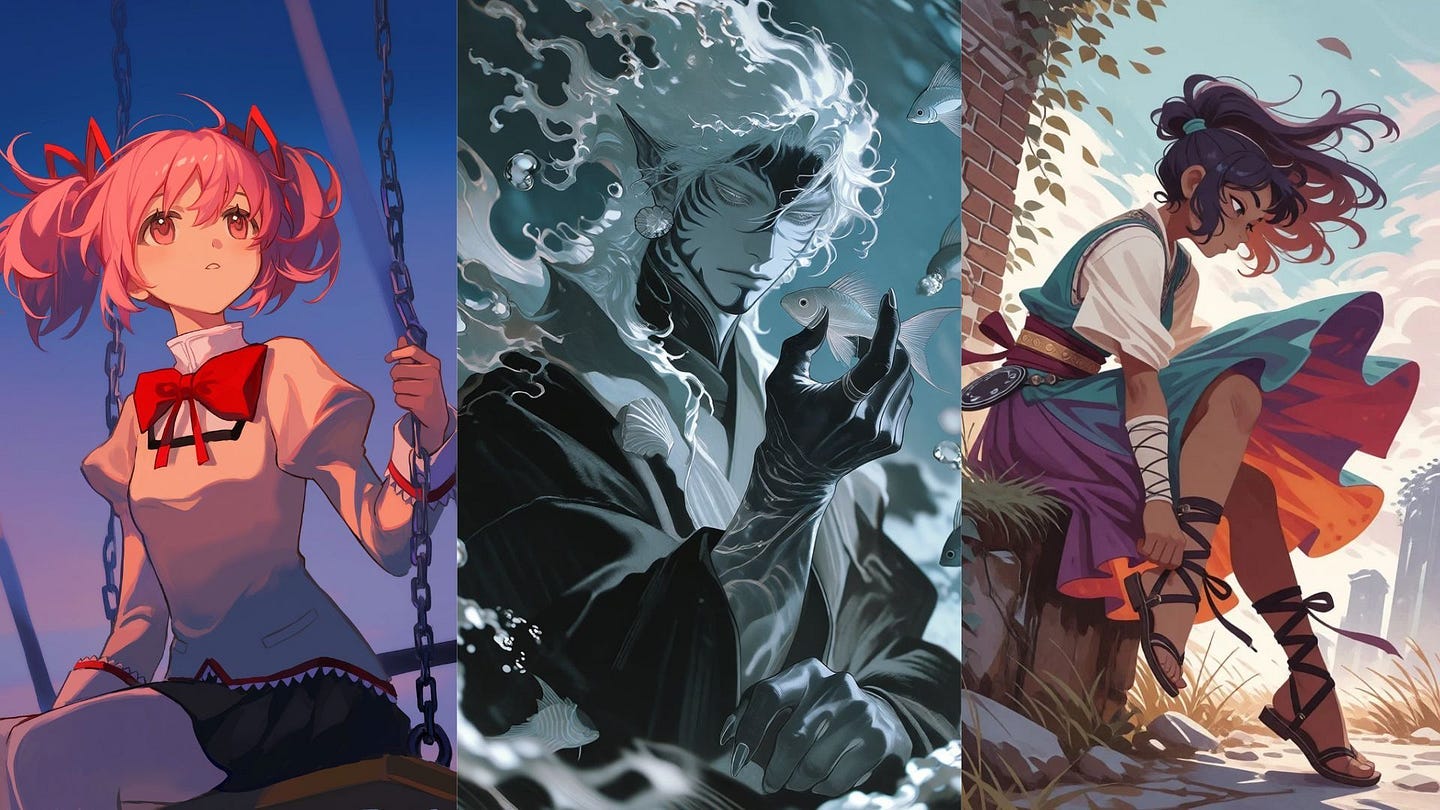
Remember the Studio Ghibli-style images that took over the internet back in March 2025? Those came from ChatGPT. I remember almost everyone in my social media network started uploading their selfies, family photos, and memes to turn them into Ghibli scenes.
Both ChatGPT and Grok have gotten a lot better at making images since then. ChatGPT now uses ChatGPT Images 2.0, while Grok has Grok Imagine 2.0. If you ask either of them for an anime girl in a school uniform, you’ll get a decent image in less than a minute.
One downside to this is that you are stuck with whatever style the model decides for the image, unless you describe it in the prompt. It works, but it gets cumbersome to always describe the image style every single time.
And if you want something really specific, like the thick outlines of ’90s anime or your own original character drawn the same way across ten images, the results can be hit or miss.
This is why I use PixAI for my anime images.
It’s an AI art platform made specifically for anime and 2D illustrations. It has over 1.8 million community models and LoRAs, its own anime model called Tsubaki.3, and tools that can turn your images into videos, chibi stickers, or trading cards.
In this article, I’ll talk about why PixAI is a better choice for anime art than ChatGPT and Grok, show you how all three handle the same prompt, and go through the features that made me switch.
Let’s start.
What Makes PixAI Better Than ChatGPT and Grok for Anime Art
PixAI is an AI image and video platform focused on anime.
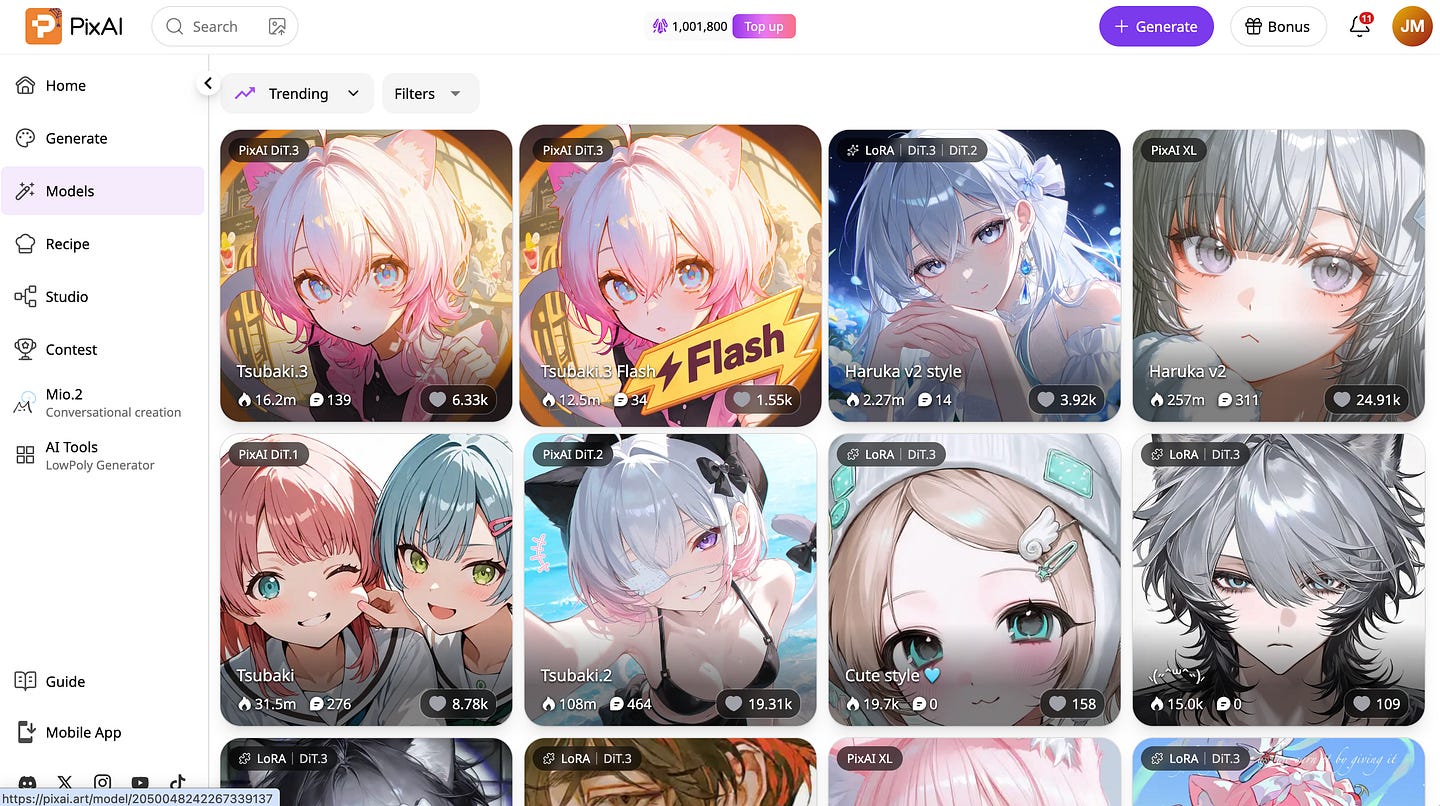
According to the company, it now has more than 16 million registered users. You can use it on the web or download the iOS and Android apps, and every account gets free credits daily.
The first big difference is how you control the style of your images.
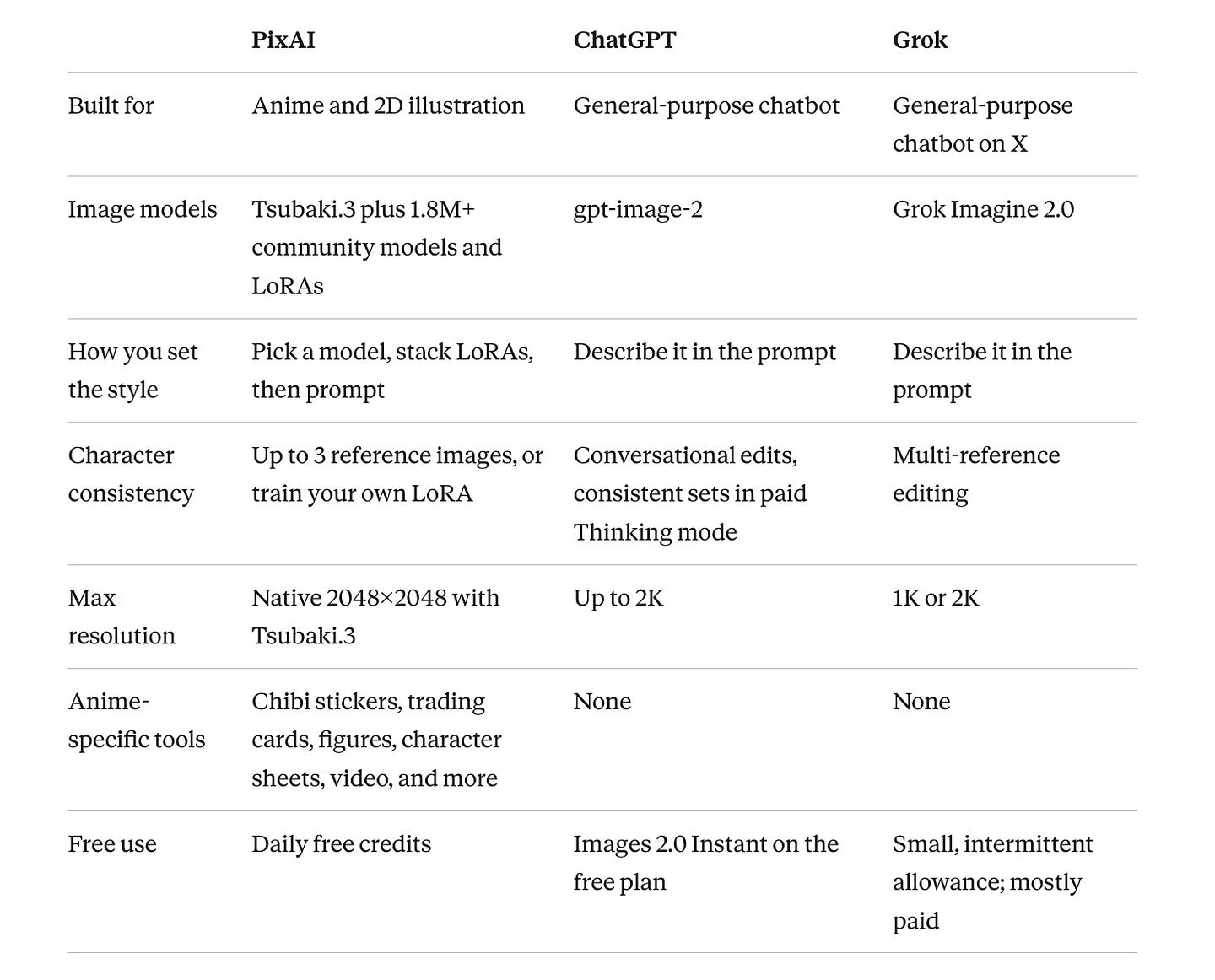
ChatGPT and Grok only give you one image model each. So if you want a certain art style, you have to describe it in your prompt and hope the model understands what you mean. Typing “soft pastel shoujo style with sparkly eyes” can give you very different results every time you try.
With PixAI, you choose a model that was already trained on the style you want.
Want a dark seinen manga look? There’s a model or LoRA for that.
Want the bright and colorful style of mobile gacha games?
There are dozens of those too. You pick the style first, then write your prompt about what’s actually happening in the image.
The second difference is keeping your character consistent.
ChatGPT can keep a character looking the same while you edit it in one conversation, and its Thinking mode can create a set of matching images. But Thinking mode is only for paid users. PixAI’s Tsubaki.3 lets you upload up to three reference images and create expression sheets, outfit changes, and front, side, and back views of the same character. You can also train your own LoRA on your character if you need even more control.
The third difference is what you can do once the image is generated.
On ChatGPT and Grok, you usually just download the image, and you’re done. On PixAI, you can keep going. You can animate it, turn it into chibi stickers, put it on a trading card, or turn it into a figure.
ChatGPT and Grok still have their strengths, though. ChatGPT Images 2.0 is great with text-heavy images, infographics, and UI mockups, and it can search the web before creating an image. Grok is fast and is built right into X. For slides or memes, I’d still use them. But for anime art, PixAI gives you way more control.
Here’s how the three compare:
Testing the Same Prompt on PixAI, ChatGPT, and Grok
To show you what I mean by how PixAI differs from ChatGPT and Grok, I used the exact same prompt on all three.
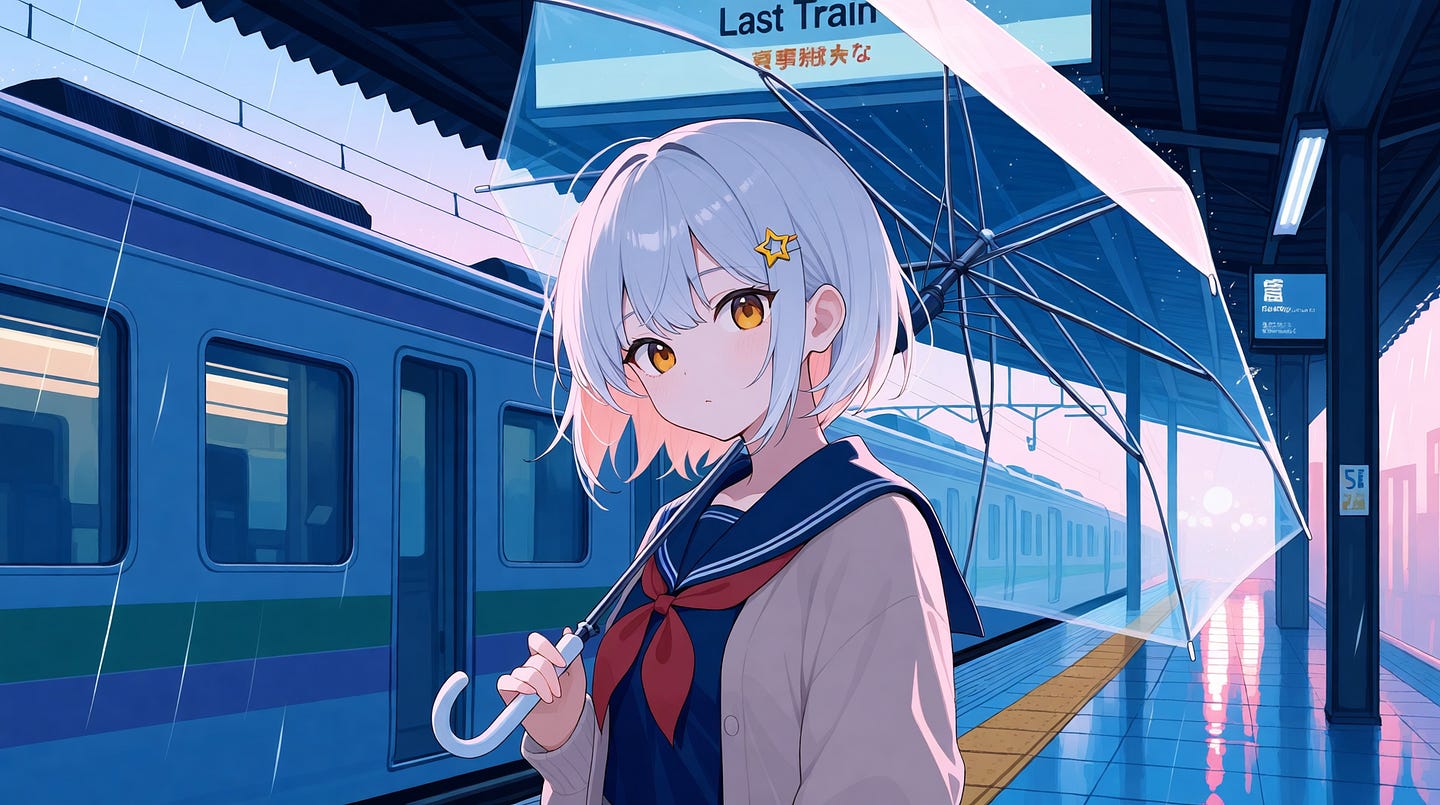
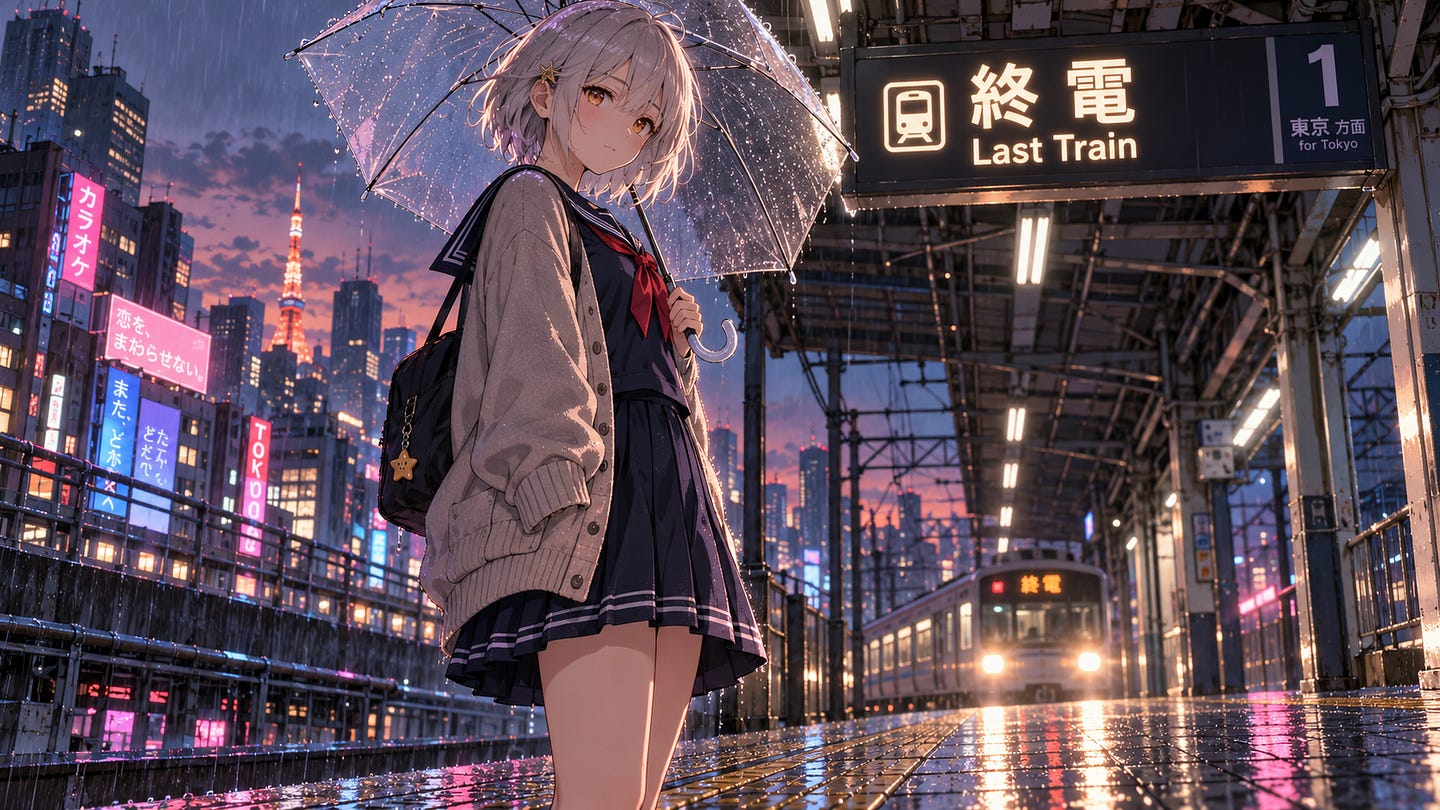
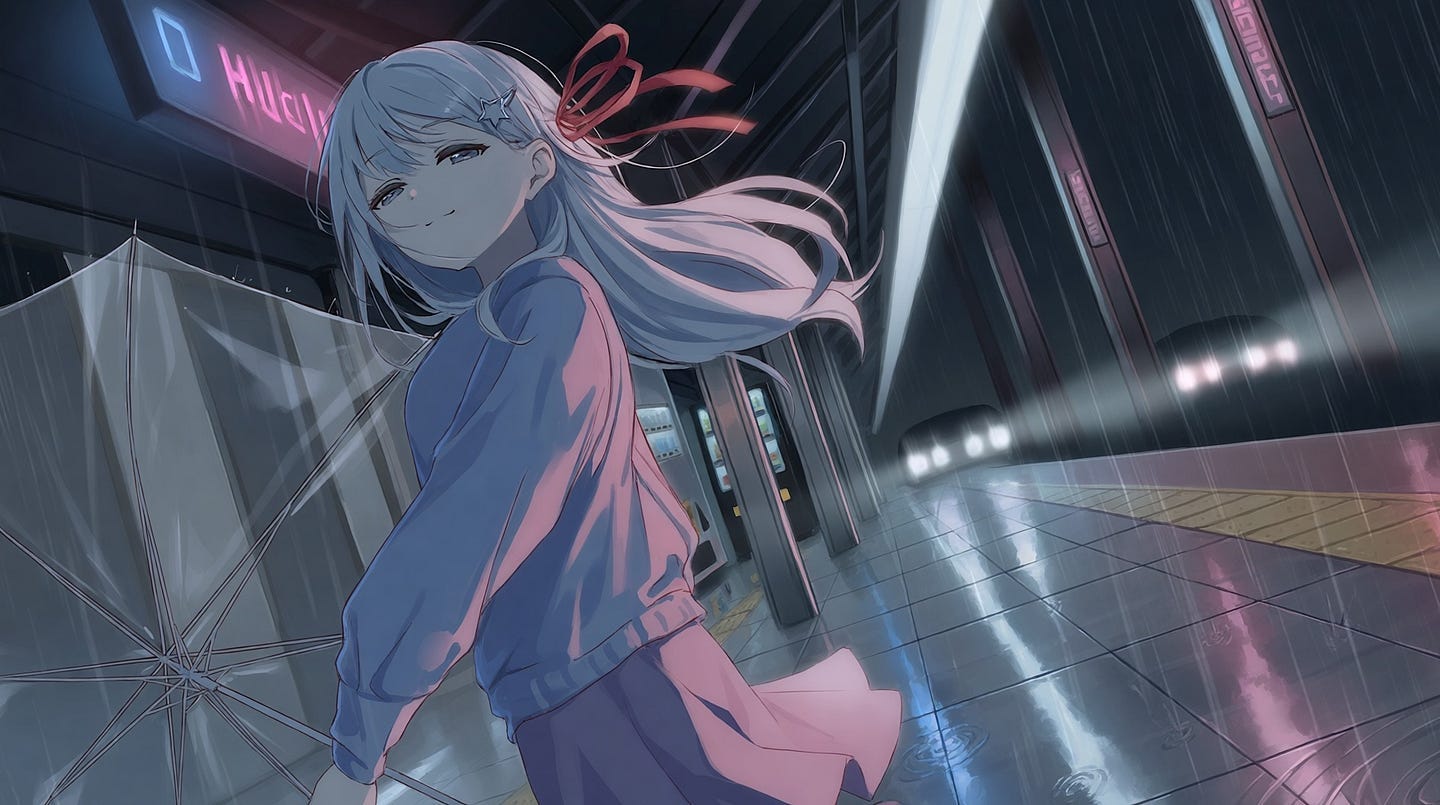
Prompt: A teenage girl with short silver hair, amber eyes, and a small star-shaped hairpin stands alone on a rainy Tokyo train platform at dusk, holding a clear plastic umbrella. She wears a navy sailor school uniform with a red ribbon and a loose cardigan over it. Neon signs from the street below reflect on the wet floor tiles, and the last train’s headlights glow in the distance behind her. Low camera angle, soft rim light on her hair, clean line art, cel-shaded anime style with muted blue and pink tones, and the station sign above her reads “Last Train” in English and Japanese.
Here’s the result from PixAI:
Here’s the result from ChatGPT:
Here’s the result from Grok:
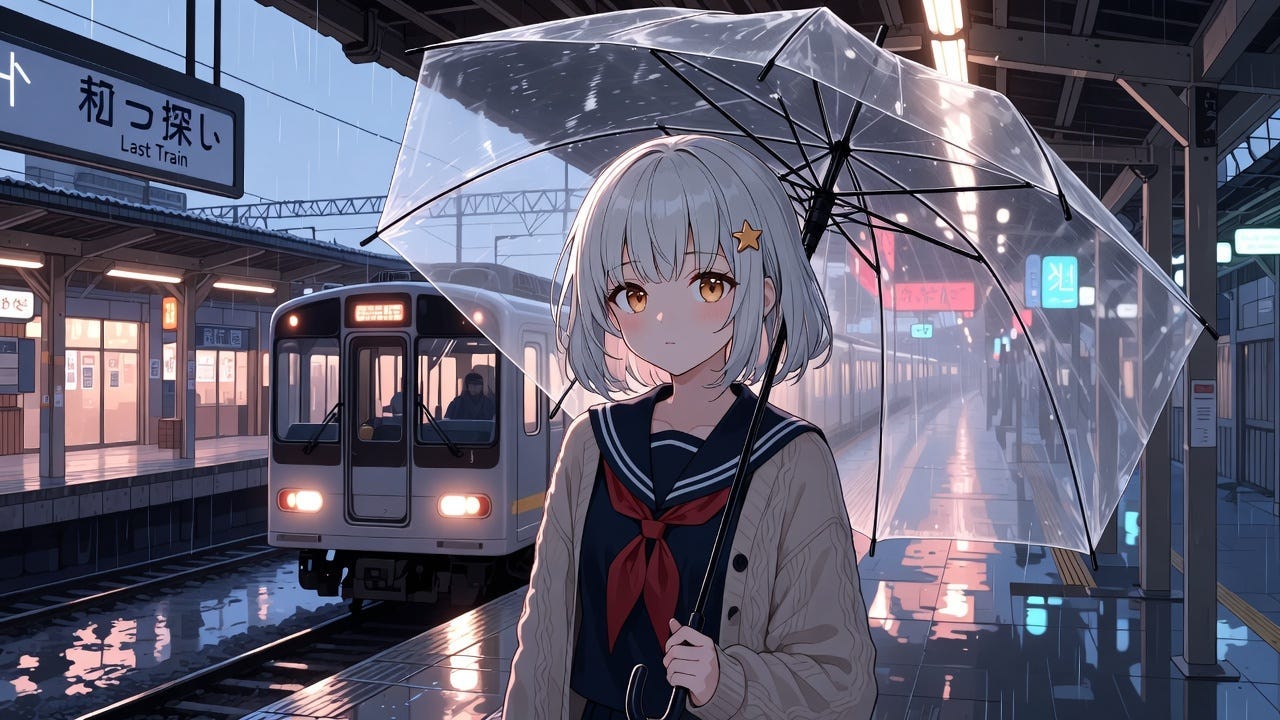
Comparing the three images, the one I prefer is from PixAI.
It may not have the most detail, but it comes closest to the anime style I expect from an anime model. The other two look good too, but PixAI’s result feels more like a scene from an anime.
ChatGPT did a great job with the camera angle, but there are too many small details competing for attention. It takes some of the focus away from the character.
Grok’s output looks good too, but the composition is too basic for my taste, and the color scheme does not quite look like what I would expect from an anime scene.
Three PixAI Features You Won’t Find in ChatGPT or Grok
1.8 Million Community Models and LoRAs
A LoRA is a small add-on file that’s trained on one specific thing. It could be a character, an outfit, an art style, or even a type of lighting. You add it on top of a base model, and it pushes the image toward whatever it was trained on.
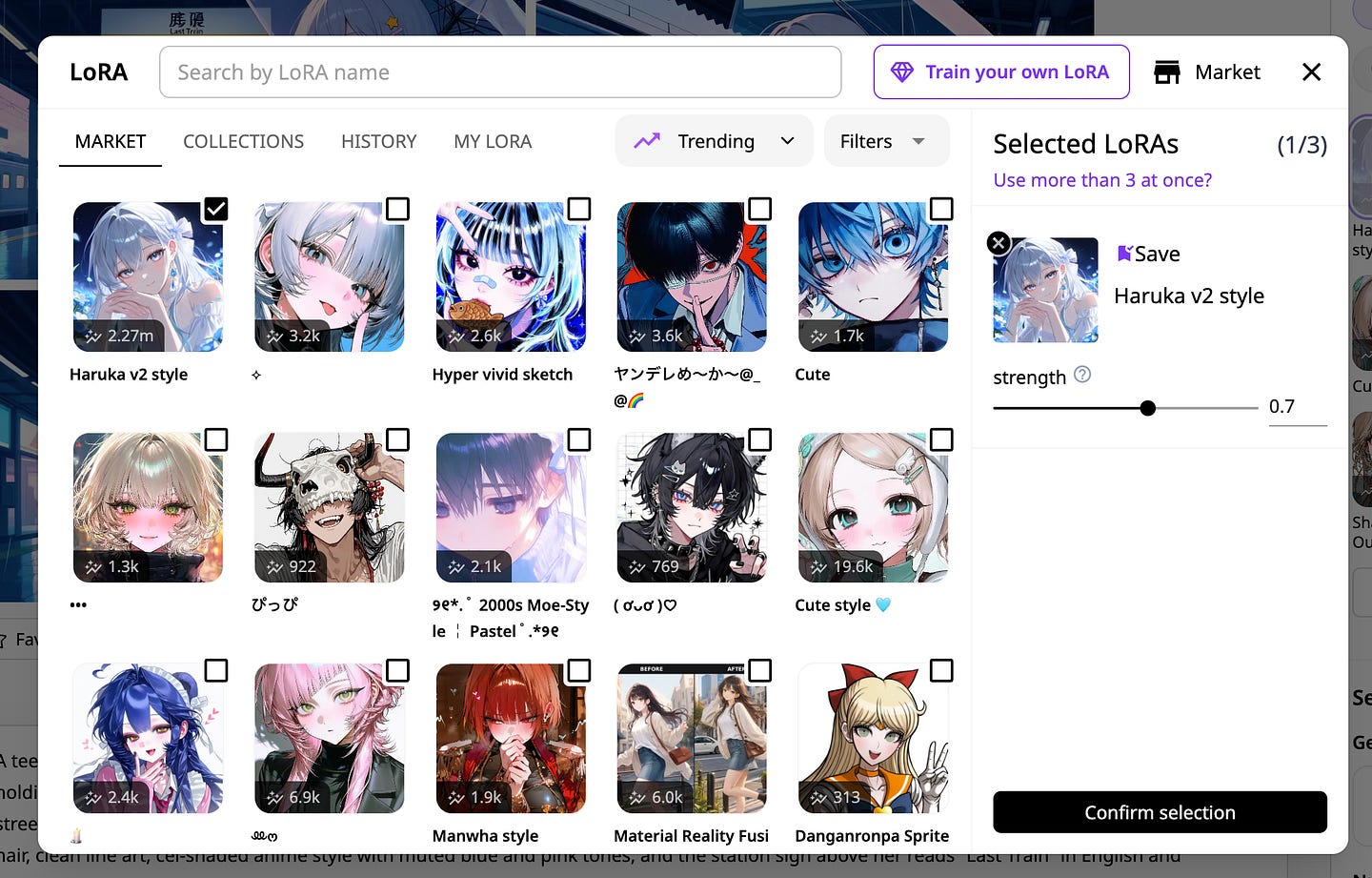
PixAI says it has over 1.8 million community models and LoRAs in its Model Market. Most of these were made by other PixAI users, so you’ll find really niche styles that big AI companies would never train a model for.
This is the main reason PixAI is so different from a chatbot. You’re not relying on one model to figure out what “anime” means. You can use a base model, add a LoRA for a certain art style, and add another one for a specific outfit.
Paid members can stack 5 to 15 LoRAs in one generation, depending on the plan, and train 3 to 10 of their own LoRAs every month.
If you have an original character, training your own LoRA is worth trying. Once it’s trained, your OC will look like your OC every time, instead of looking like a slightly different person in every image.
Tsubaki.3, PixAI’s Own Anime Model
Tsubaki.3 is PixAI’s own anime model, and you use it on PixAI’s generator. It was fully released on September 17, 2026, after about a month of early access.
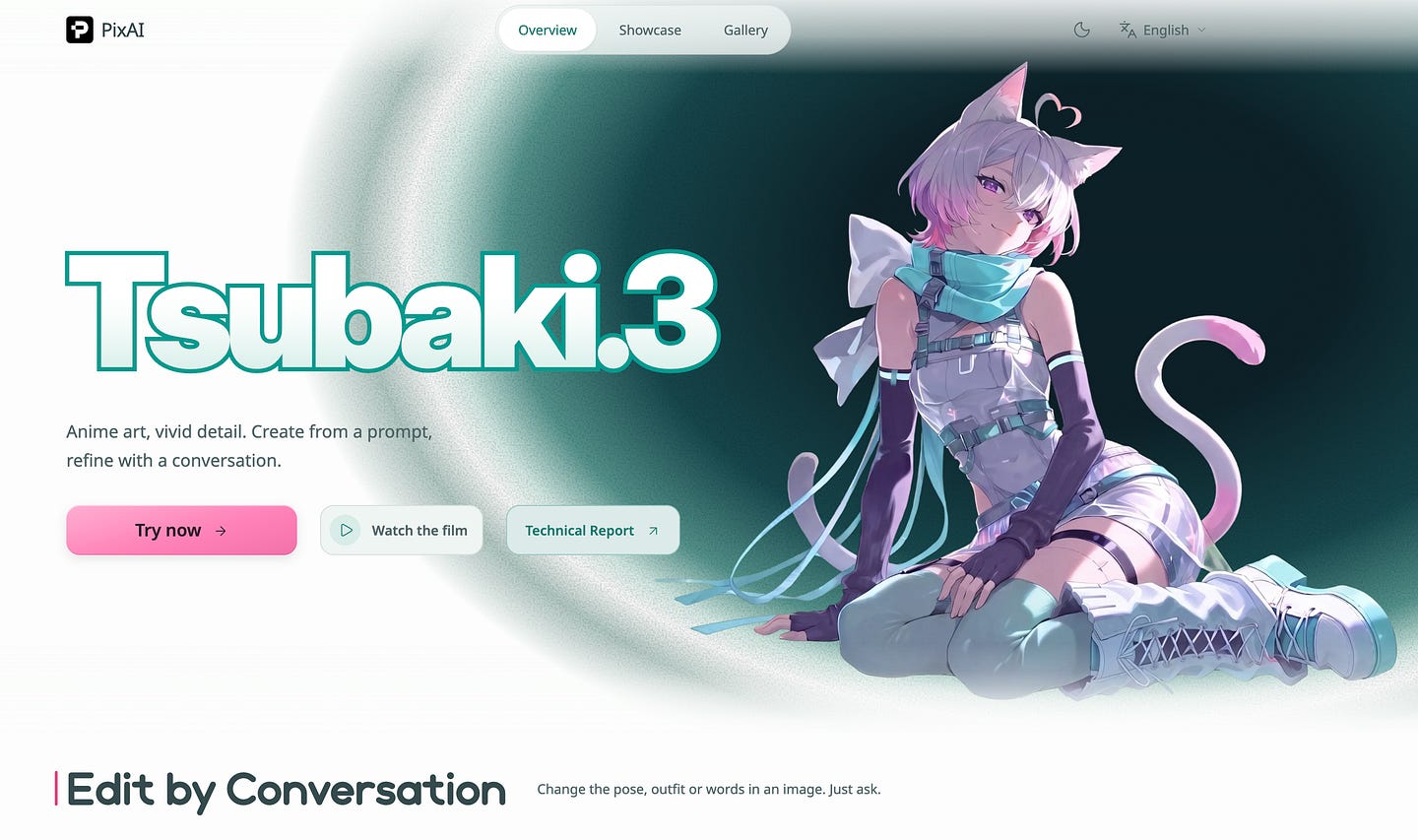
It’s a big upgrade from the previous version. Tsubaki.3 can create images at up to 2048×2048, which is four times the pixel count of Tsubaki.2 at 1024×1024.
It’s also better at following long prompts, so you can describe the lighting, mood, camera angle, and where each character is standing, and it will try to follow all of it.
Here are the features I like the most:
Smart reference. You can upload up to three reference images and create expression sheets, costume changes, new poses, turnarounds, and even younger or older versions of the same character. You don’t need to train anything.
Editing by chat. You can ask it to change the hair color, outfit, hand gesture, or text in an image, and it keeps the pose, background, and lighting the same. It doesn’t redo the whole image.
Manga pages. It can create manga pages with multiple panels, speech bubbles, screen tones, speed lines, and text, all in one go.
PixAI says the main improvement in Tsubaki.3 is “the creative process after the first image.” A lot of anime models can make one good image. Tsubaki.3 is made to help you keep working with the same character after that.
Tools That Turn One Image Into Cards, Chibis, and Videos
PixAI has a page full of one-click AI tools, and many of them are made for anime fans.
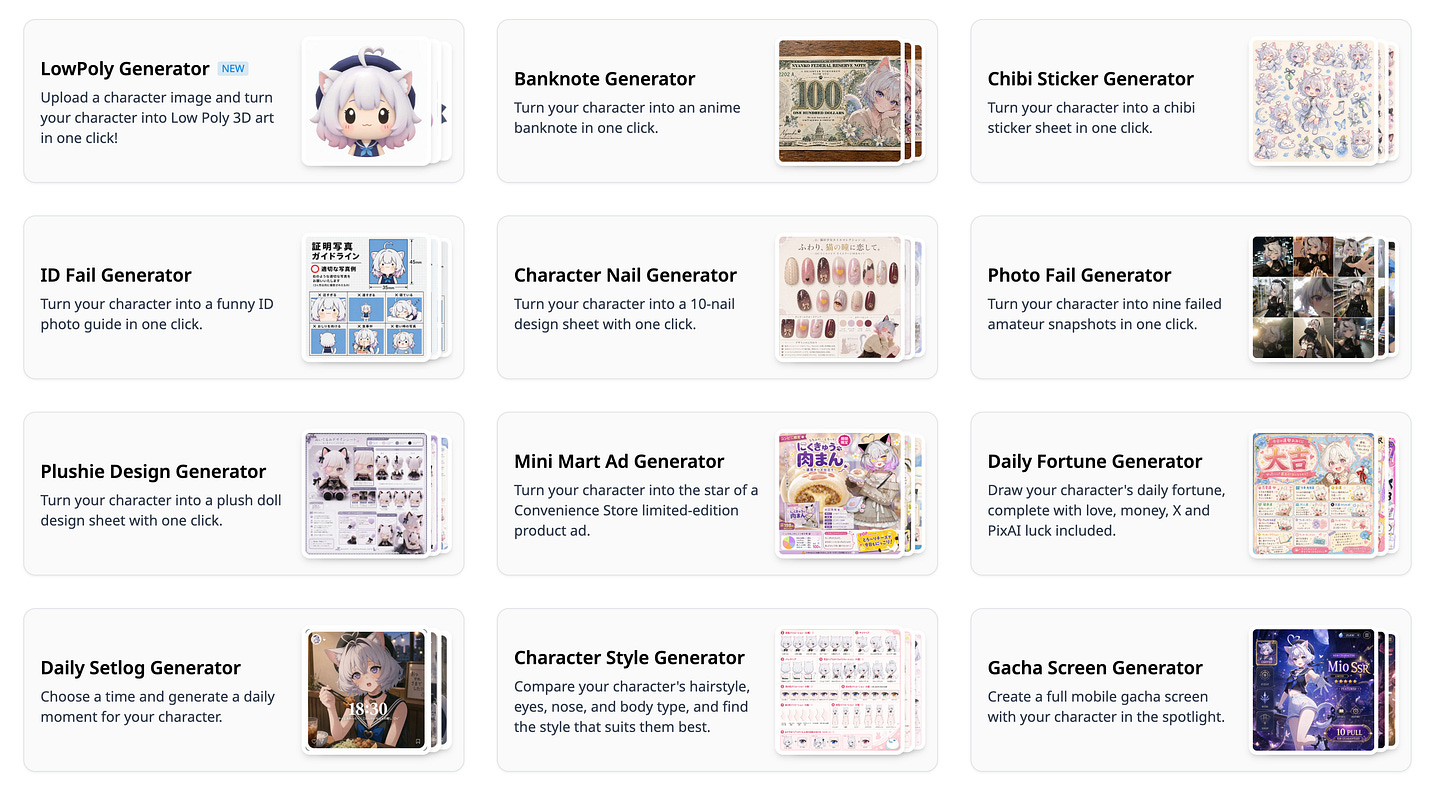
Here are some of my favorites:
The Chibi Sticker Generator turns your character into a full sheet of chibi stickers with different poses, expressions, and matching accessories.
The Trading Card Generator puts your art inside a card frame with a holographic foil effect, a rarity border, and a name plate. It doesn’t change your art style, so what you upload is what goes on the card.
Image to Figure turns your character design into a figure.
The Character Sheet Generator shows your character’s style and features on one sheet.
There are also tools for acrylic standees, plushies, badges, dakimakura designs, and even fake gacha pull screens. Some of these might seem a bit silly, but they’re really handy if you want to see what your OC would look like as merch before you pay to get it printed.
PixAI can also make videos. Along with Tsubaki.3, the company released Tsubaki Video and Tsubaki Video Flash, which PixAI says all users can access, whether or not they’re paying members. Paid plans can create text-to-video or image-to-video clips up to 10 seconds long.
For my second PixAI test, I took the image from the first test and turned it into a video using this prompt:
Prompt: The silver-haired girl slowly lowers her clear umbrella and looks up at the sky as the rain gets lighter. A gentle breeze moves her hair and the ends of her red ribbon. The headlights of the arriving train sweep across the platform behind her, and the neon reflections on the wet tiles ripple as raindrops land. She turns toward the camera and gives a small, tired smile. Slow push-in camera move, keep the cel-shaded anime style, the muted blue and pink colors, and the star-shaped hairpin consistent throughout.
Here’s the image result:
After transforming the image into a video, here’s the output:
Why I Switched to PixAI
Ever since I started using PixAI, I never went back to using generic chatbots for my anime images.
ChatGPT and Grok don’t make bad images. They’re fine when I just need a quick anime-style picture and the small details don’t matter. But when I have a specific style in mind, I end up rewriting the same prompt over and over, adding more descriptions and hoping the next try gets closer. On PixAI, I just pick a model that already draws in that style, and I can focus on describing the scene instead.
I also like that PixAI is built around characters and not just single images. As anime fans, we care a lot about characters. We want to see the same character in different outfits, moods, and situations, and that’s exactly what Tsubaki.3’s reference feature and custom LoRAs are for.
If you’re an otaku or a big anime fan, here are some ways you can make use of PixAI’s anime models:
Make fan art in the style of a specific series. The community has made models and LoRAs for all kinds of anime and game art styles. PixAI’s tag pages also cover franchises like Genshin Impact, Blue Archive, Uma Musume, and Pokémon, so you can see what others are making and how they made it.
Build your original character. Start with a design from the OC Maker, then use reference images or a trained LoRA to make expression sheets, turnarounds, and outfit changes.
Plan out your own manga or doujin. You can use Tsubaki.3’s manga page feature to test panel layouts and scenes before you start drawing by hand.
Try out VTuber or merch ideas. The VTuber Generator and the standee, badge, and plushie tools let you see what a design would look like before you commission an artist.
Join the community. PixAI regularly holds contests and has daily rankings, which are good places to find new models and get prompt ideas from other creators.
You can’t do any of these inside a chatbot. ChatGPT and Grok are made to answer all kinds of questions, and making images is just one of the many things they can do. PixAI only focuses on anime and 2D art, which is why it has so many more options for it.
Final Thoughts
That’s about it. What I love most about PixAI is how much control it gives me over the art style. I don’t have to describe a style in my prompt and hope ChatGPT or Grok gets it right. I can just pick a model or LoRA that was trained on that exact style, keep my character looking the same with reference images, and do more with the result using Tsubaki.3.
For anime art, I think PixAI is a much better tool than either chatbot.
Most anime fans want to do more than make one picture. With PixAI, you can turn your OC into chibi stickers, a trading card, or a figure, make a manga page with actual speech bubbles, or turn your character into a short video, all in a few clicks. You can’t do most of these in ChatGPT or Grok without using a bunch of other apps.
If you’ve been making anime images with ChatGPT or Grok, I’d encourage you to give PixAI a try. You get free credits every day, so you can start without paying anything.
Try one of your old prompts with Tsubaki.3 or a community model and see how it compares with what you got from the tools you’re already using.
Let me know what you think about it in the comments.
Hi there! Thanks for making it to the end of this post! If you enjoyed this content and would like to support my work, consider becoming a paid subscriber. Your support means a lot!