

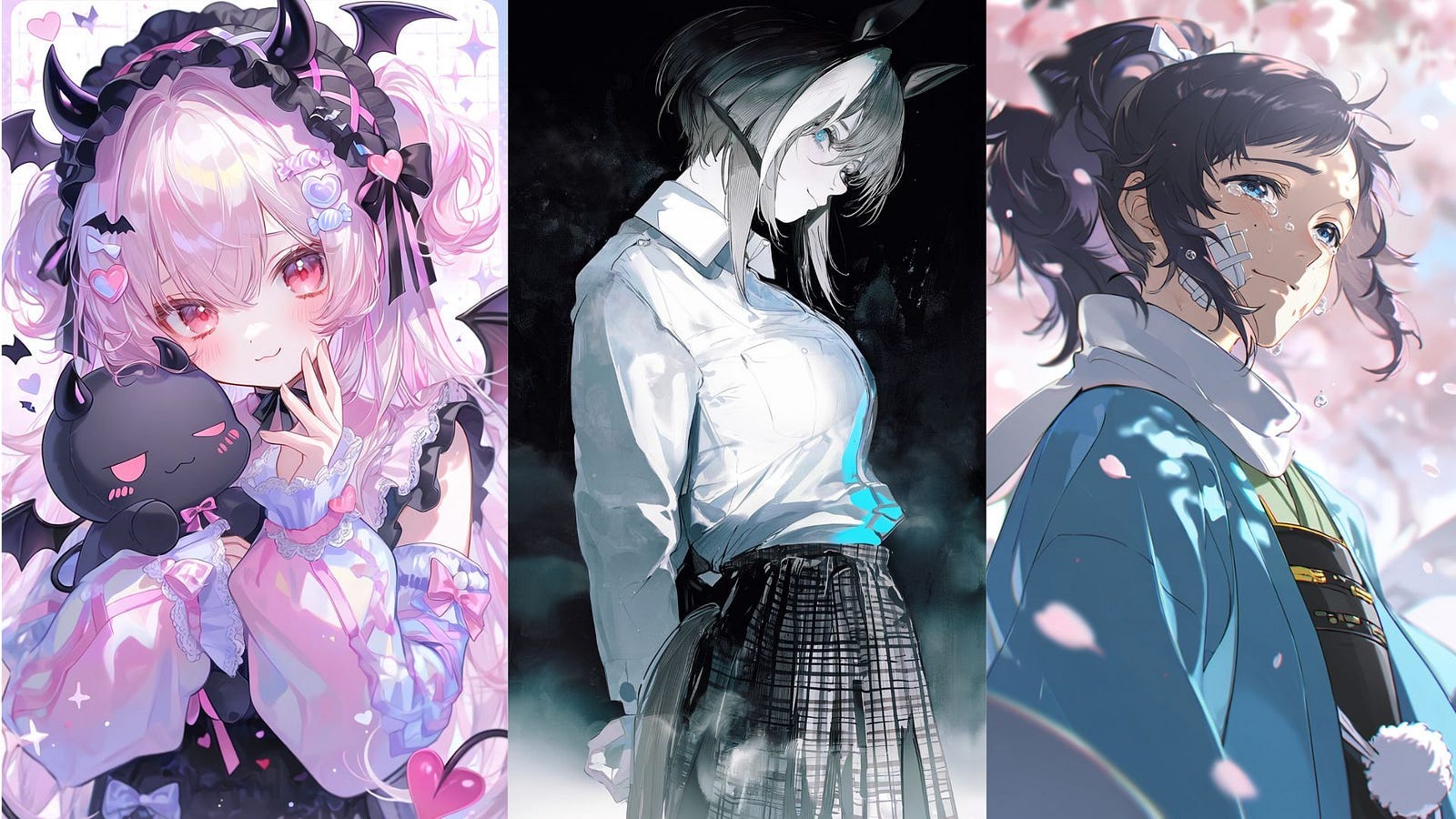
If you search for an “uncensored” AI image generator, you’ll find plenty of tools that say they have no restrictions. But every AI image generator has rules, even the ones that call themselves uncensored. Some are just looser than others, and some are stricter about where your images can be shared.
A lot of people start looking for these tools after a chatbot refuses a prompt (Yes, I am looking at you, Gemini), or after getting tired of an image model that keeps drawing everything in the same style. Those are two very different problems, and the word “uncensored” gets used for both.
I tested four popular tools to see what they actually let you do: PixAI, ChatGPT, Gemini, and Tensor.Art.
I gave all four the same safe-for-work prompt, asked each one for the same revision, and then read through each tool’s official policy pages to see what they allow and what they don’t.
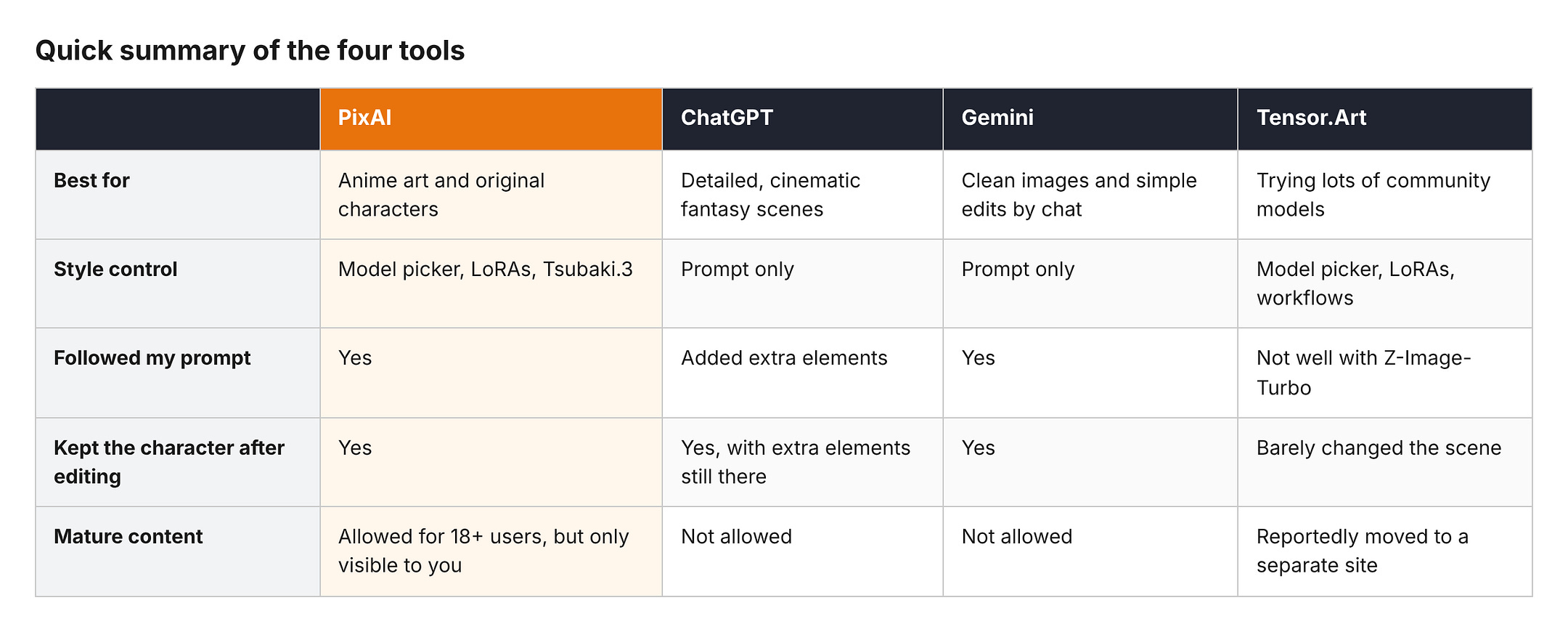
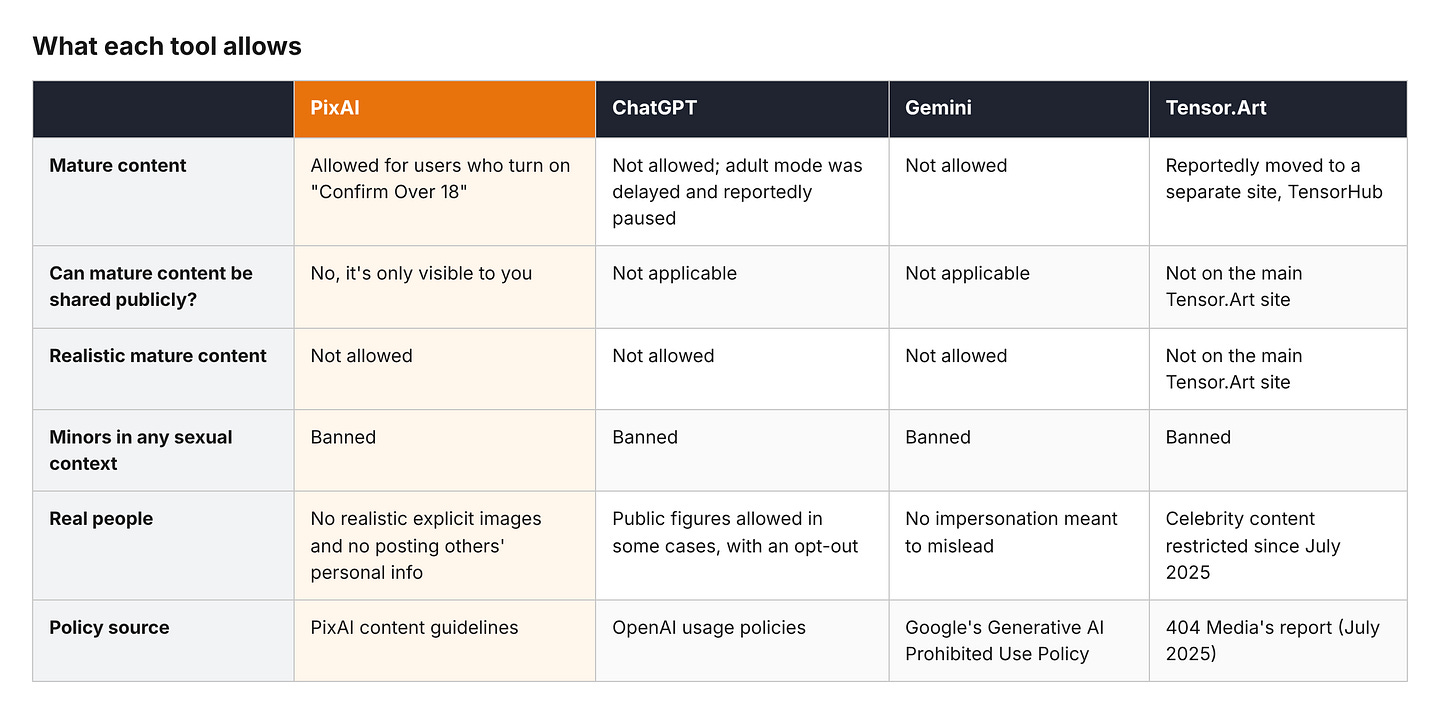
Here’s a quick summary before we get into the details:
What “No Restrictions” Actually Means When You Search for an AI Image Generator
“Uncensored” isn’t a real product feature. No tool has an “uncensored” switch that removes every rule. When people search for an AI image generator with no restrictions, they usually mean one of four different things.
Content policy. These are the rules about what you’re allowed to generate, like nudity, violence, or real people. This is what most people think of when they say “censored.” ChatGPT and Gemini, for example, don’t allow sexually explicit images at all, while PixAI allows mature content for adults under certain conditions.
Creative control. Some tools only let you type a prompt and accept whatever comes out. Others let you choose the model, add LoRAs, use reference images, and edit specific parts of an image. A tool can have strict content rules and still give you a lot of creative freedom, or the other way around. Gemini is strict on content but very good at editing, while Tensor.Art gives you tons of model options but no guarantee that the one you pick will work well.
Access and limits. Free credits, daily caps, paid plans, and account requirements. A tool that’s free to start is not the same as a tool with unlimited free use. PixAI gives you free credits every day, ChatGPT gives free users a limited number of images, and Gemini’s free plan comes with standard usage limits. None of them are unlimited for free.
Publishing rules. Some platforms let you generate certain content but won’t let you post it publicly. PixAI is a good example of this. You can make mature content as an adult, but nobody else can see it.
So when a tool calls itself “uncensored,” it’s worth asking which of these four things it actually means. A tool can be very open in one area and very strict in another.
How I Tested the Four Tools
I chose these four tools because they cover the main types of AI image generators people compare. PixAI and Tensor.Art are platforms where you choose from community-made models and LoRAs. ChatGPT and Gemini are general-purpose chatbots that generate images with their own built-in model.
On PixAI and Tensor.Art, the result depends heavily on which model you pick. On ChatGPT and Gemini, you get whatever the company’s model gives you, and your only control is the prompt.
For the test, I made up an original adult character and placed her in a detailed scene. No real people, no copyrighted characters, nothing explicit.
I also made the prompt long and specific on purpose, so it would be easy to tell which tools actually followed it and which ones filled in the gaps on their own. Here’s the prompt I used on all four tools:
Prompt: An adult woman in her early thirties who works as an airship mechanic, with a short auburn undercut, freckles, and green eyes. She wears oil-stained gray coveralls tied at the waist over a black tank top, with brass goggles pushed up on her forehead. She’s kneeling on the wooden deck of an airship above a sea of clouds at sunrise, fixing a brass engine with a wrench, with tools scattered around her and patched canvas sails and rope rigging behind her. Warm golden light, detailed anime illustration style, cel shading, clean line art, wide shot.
Then I asked each tool for the same revision:
Follow up prompt: Keep the same character, outfit, and art style, but change the scene to night. The sky is dark blue and full of stars, a lantern hanging from the mast lights up her face, and she’s now standing at the railing looking out over the clouds instead of fixing the engine.
I wanted to see two things.
First, how close each tool gets to the prompt on the first try. Second, whether it can keep the same character when the scene changes, which is where a lot of AI image tools fall apart.
Changing the time of day, the lighting, and the pose all at once is a lot to ask, so this revision is a good way to see which tools actually understand what should stay the same.
On PixAI, I used Tsubaki.3. On Tensor.Art, I used the Z-Image-Turbo model. ChatGPT and Gemini don’t let you pick a model, so I used whatever they generated by default.
The settings aren’t identical across the four, since PixAI and Tensor.Art have a lot more options than the two chatbots.
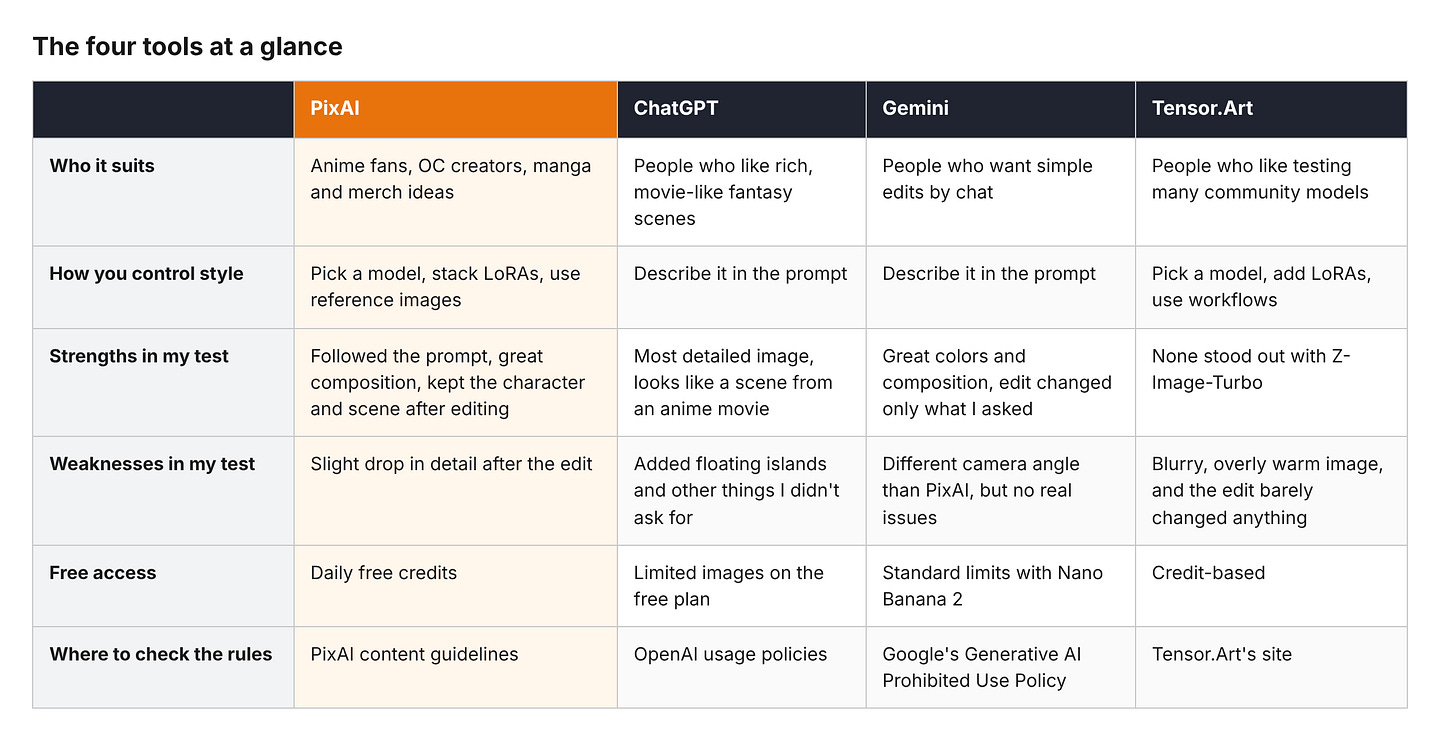
In the next sections, I will show you the results of the images per platform and give my comments on each result.
PixAI
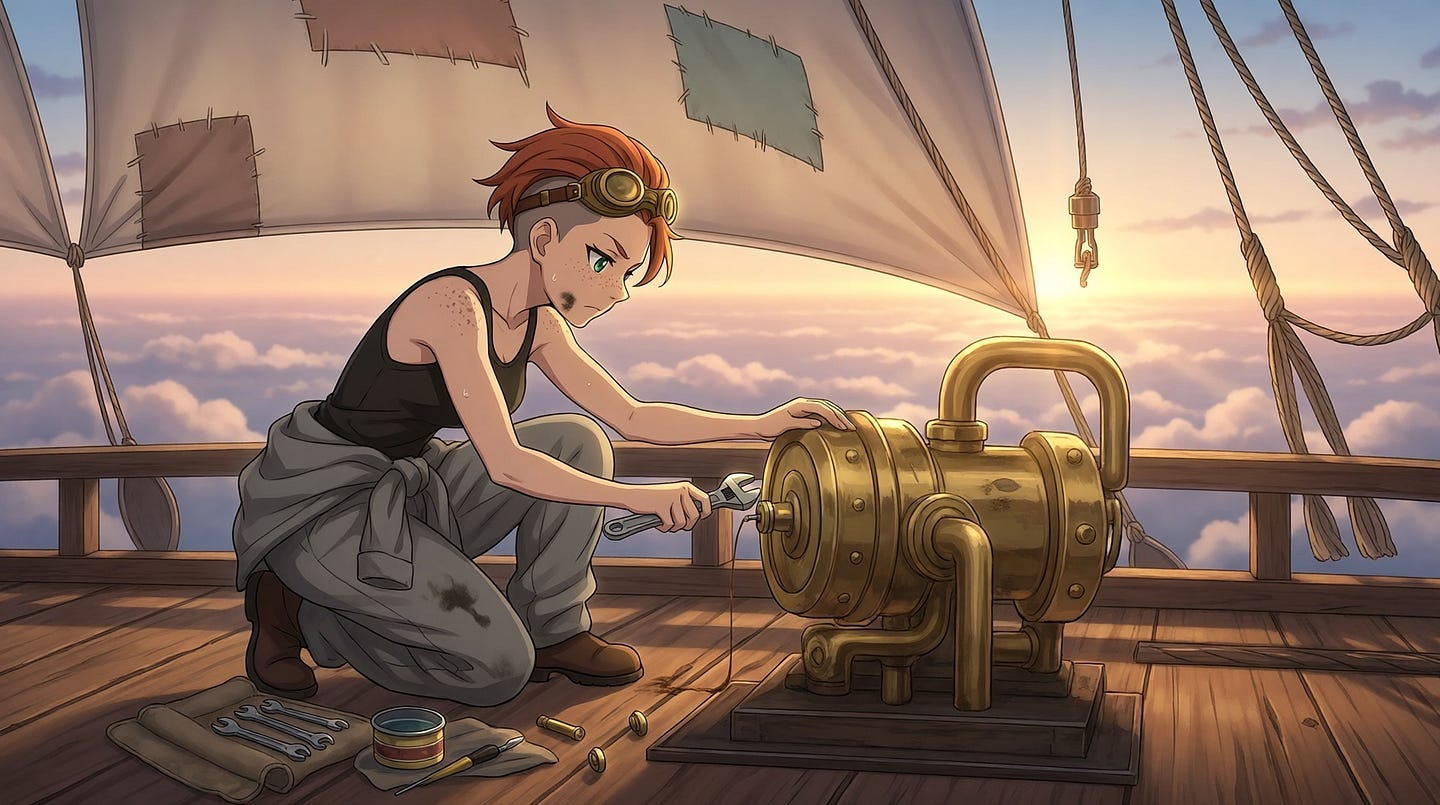
I love this scene. PixAI followed the prompt and added all the details I asked for. The overall composition is great. The subject isn’t cropped, and the camera angle is centered on the scene.
I also love the small details, like the texture of the airship and the warm light coming from the sun.
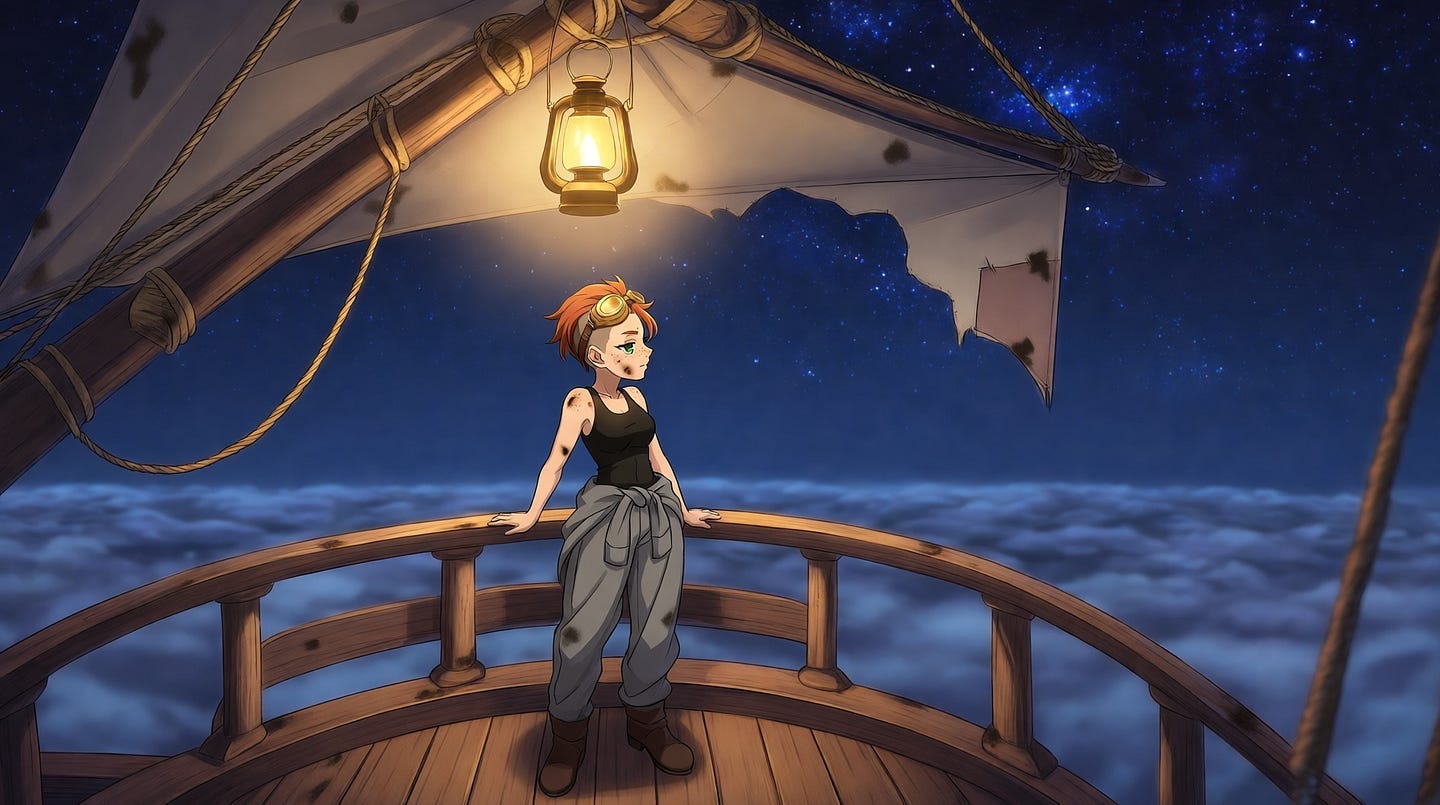
After the edit, the model still followed the prompt. It’s great how it kept the same character and environment and only changed what I asked for, which were the sky and her position on the deck.
One minor thing I noticed is a slight drop in detail after the edit. I wish the character had been a bit more detailed in the second image.
PixAI’s biggest advantage here is that Tsubaki.3 lets you edit an image by describing the change while keeping everything else the same. You also don’t have to rely only on the prompt for style, since you can choose from models already trained on the look you want.
If you plan to use the same character in a lot of images, PixAI has a few more tools for that. Tsubaki.3 can take up to three reference images to keep a character consistent across new poses and outfits, and you can train your own LoRA on your character if you want even more control.
ChatGPT
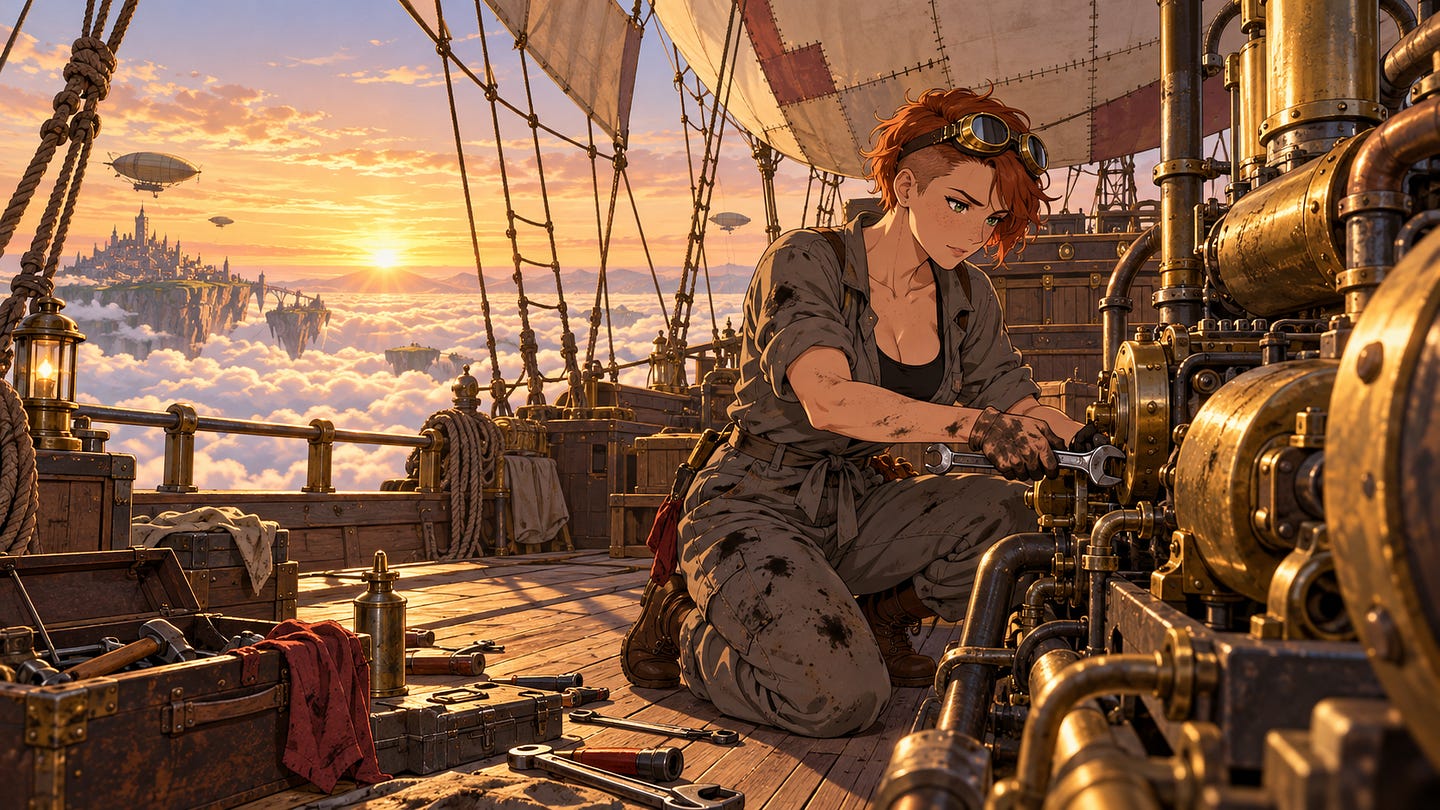
ChatGPT created the most detailed image of the four.
There’s a lot of fantasy in it, with floating islands in the background. Some people might even like this, but I don’t like how it adds things that weren’t in my prompt.
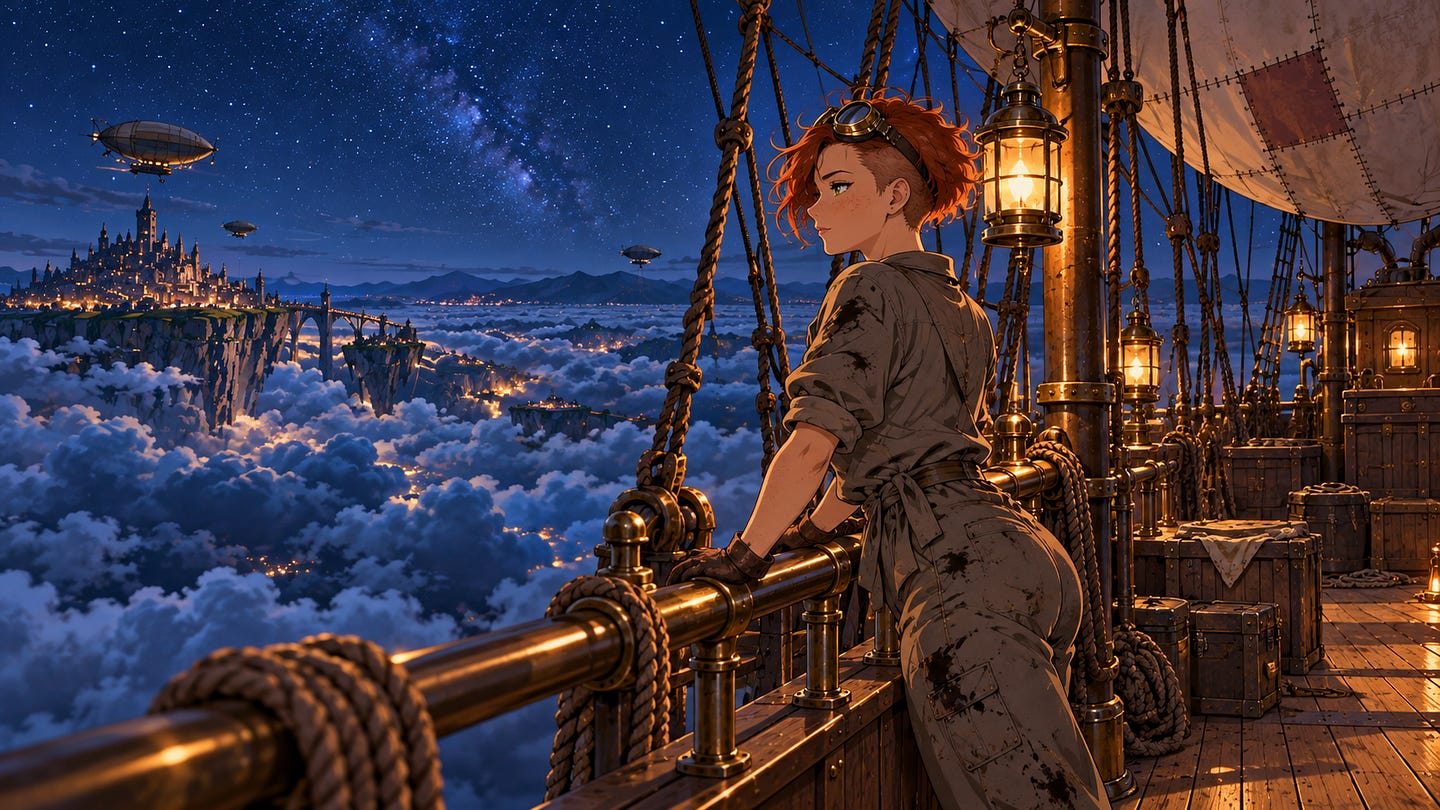
It’s the same story after the edit. Some of the elements I never asked for are still there. Still, the overall design and composition look really good. It looks like it came straight out of an anime movie.
If you want a rich, cinematic scene and don’t mind ChatGPT taking some creative liberties, it does a great job. If you need the image to match your prompt exactly, expect to do a few more rounds of edits.
Gemini
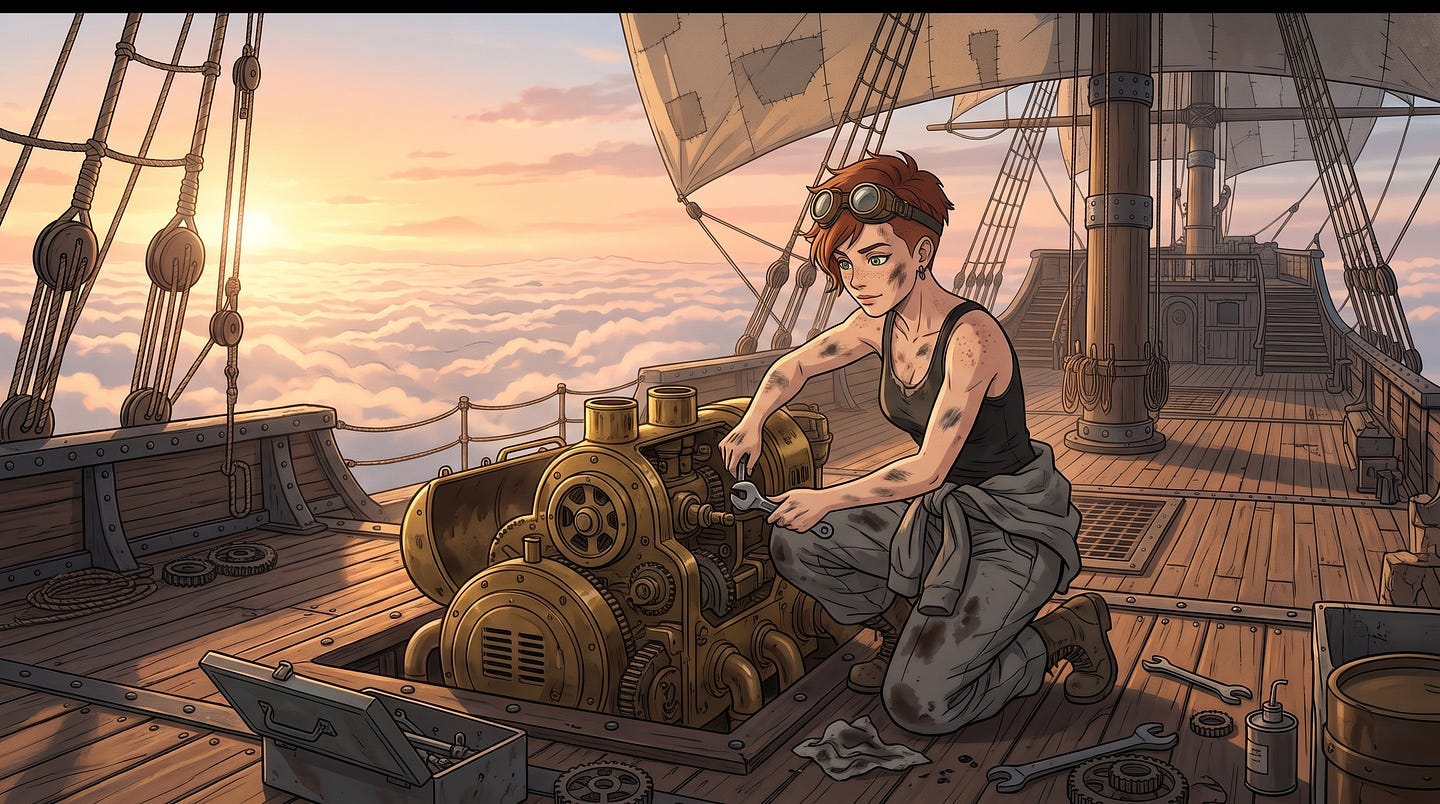
I love the colors and the composition of this image. It’s similar to the PixAI result, but with a different camera angle. Nano Banana has improved a lot, and it can now handle this kind of anime style at a level that’s on par with Tsubaki.3.
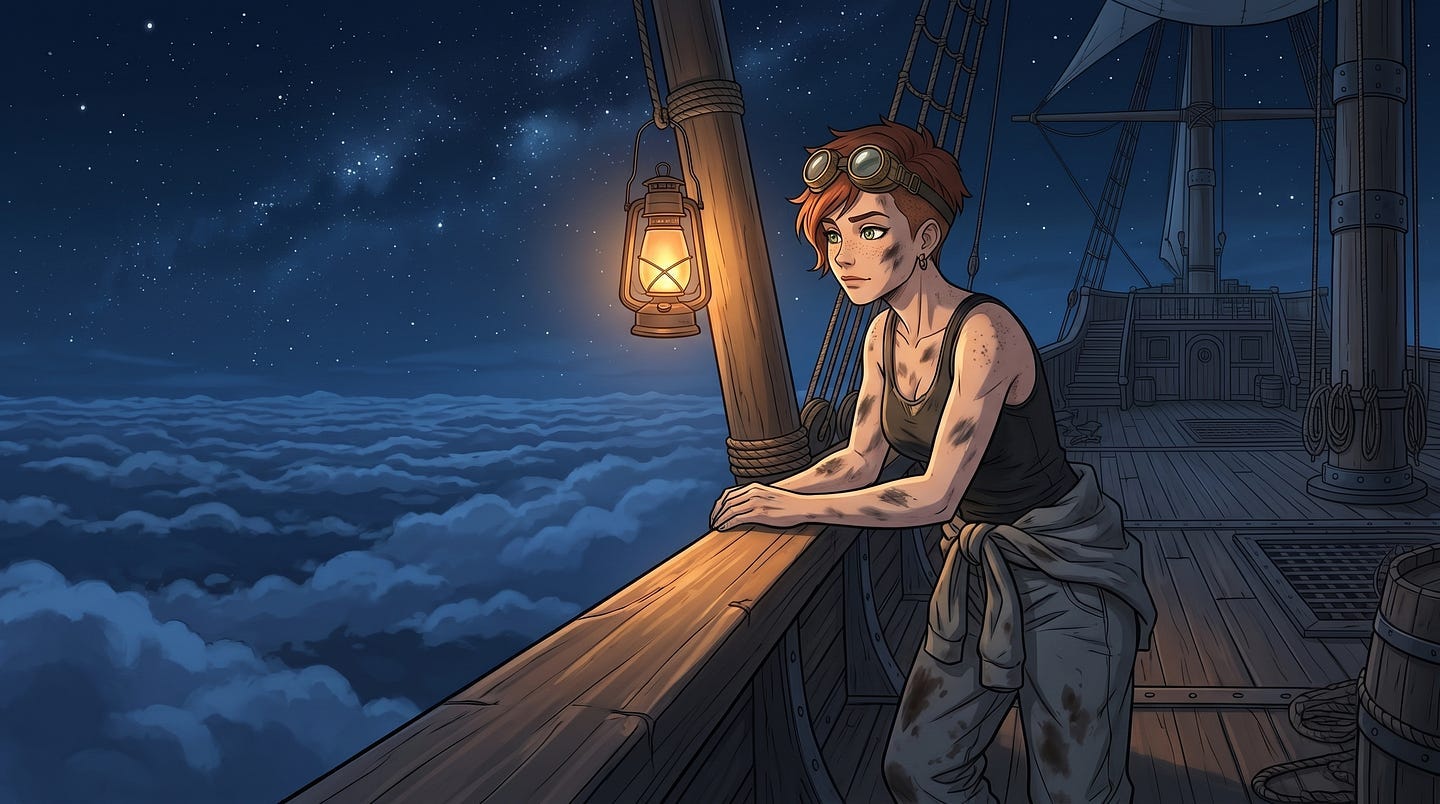
The result still looks good after the edit. Everything I wanted to keep stayed the same, and only the background, the time of day, and her posture changed.
Gemini’s edit was just as accurate as PixAI’s. The difference is that Gemini only gives you one model, so you can’t switch to a different anime style the way you can on PixAI.
It’s also worth knowing what you get on each plan. According to Google’s Gemini limits page, free users get image generation with Nano Banana 2, while redoing images with Nano Banana Pro is for paid plans.
Tensor.Art
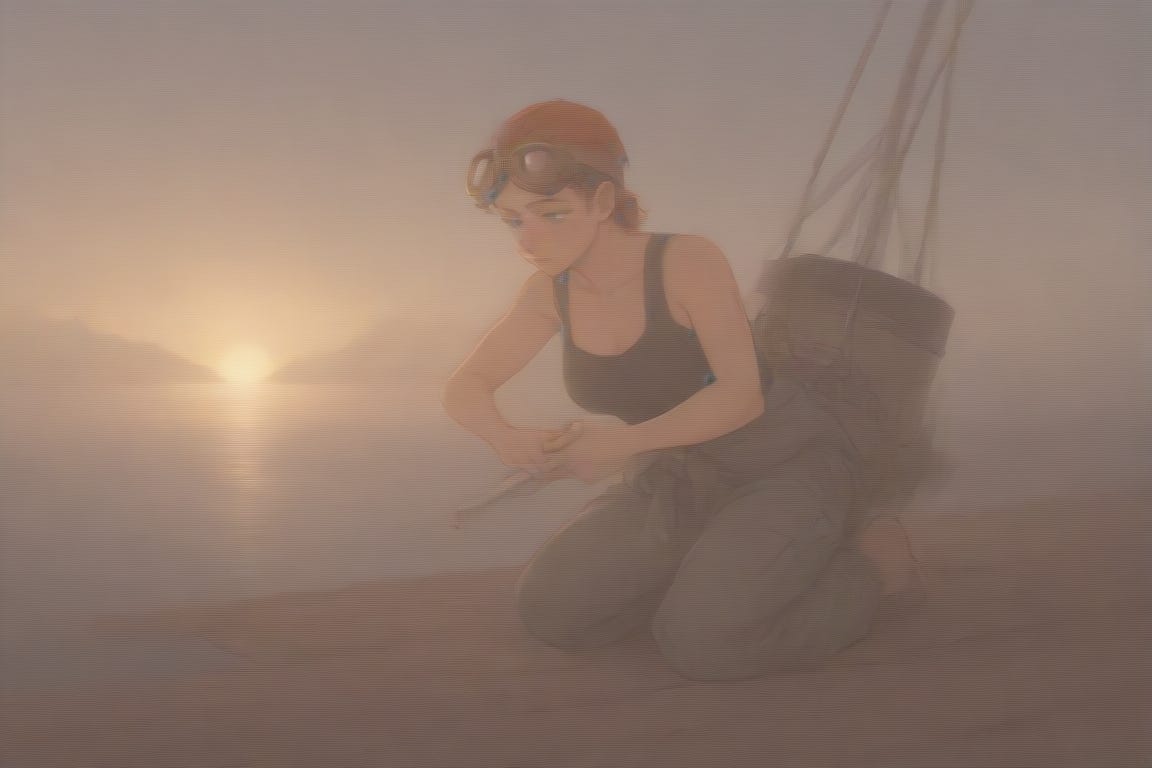
The output came out blurry and overly warm. I’m not sure what went wrong, but I regenerated the image twice and still got strange results. The character also doesn’t look like she’s on an airship.
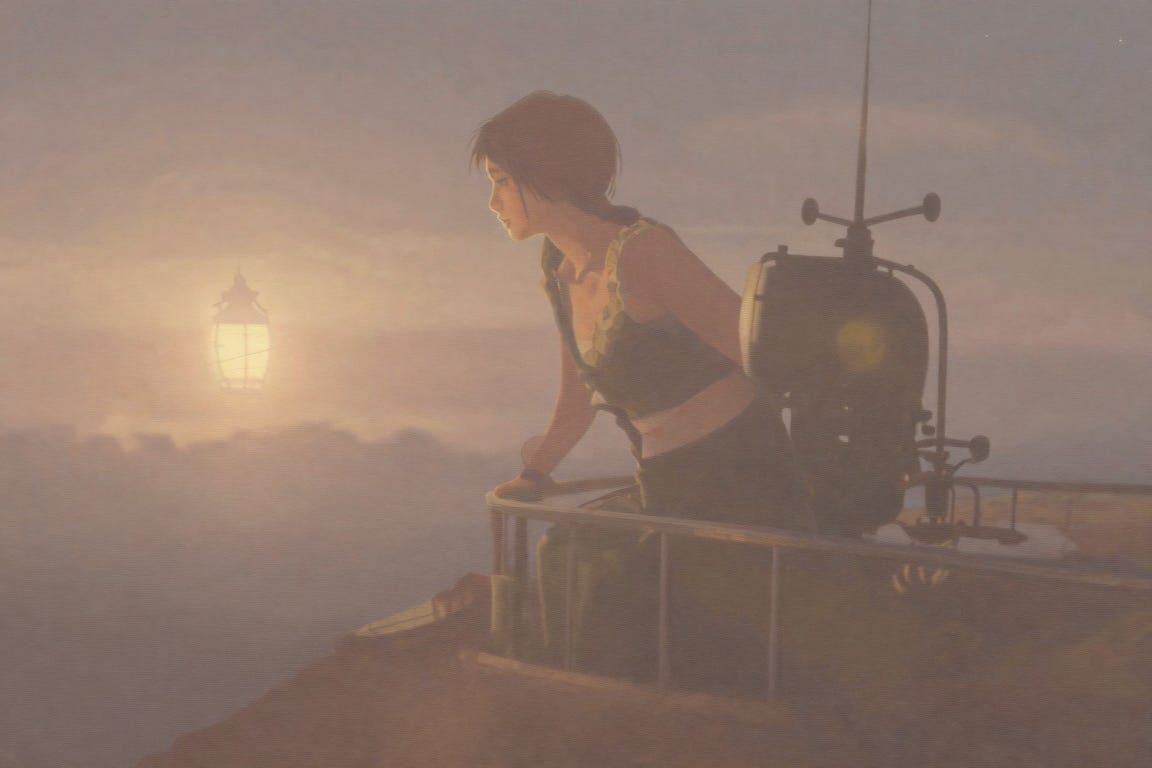
After the edit, she now looks like she’s on the airship, but not much else changed. It was supposed to be nighttime, and she was supposed to be standing at the railing. Her posture and the background stayed mostly the same.
Z-Image-Turbo was a bad choice for this kind of image, and I wouldn’t use it for anime art. Tensor.Art has a huge library of community models, so you’ll probably get much better results with a model trained for anime. Just keep in mind that finding the right one takes some trial and error.
This is the tradeoff with model-sharing platforms in general. Having thousands of models to choose from is great, but the quality depends on the model you pick, and a bad pick can make the whole platform look worse than it is.
What Each Tool Allows and What’s Still Restricted
This is what most people are looking for when they search for an uncensored AI image generator.
Here’s what each tool’s official pages say. I didn’t test any explicit or disallowed content, and you shouldn’t treat one blocked or allowed prompt as proof of a tool’s whole policy.
PixAI
PixAI is the most open of the four, but it still has clear limits. Its terms of service say you must be 18 or older to use the platform. To generate mature content, you need to turn on the “Confirm Over 18” setting first.
PixAI sorts every image into either “Normal” or “Sensitive.” An AI moderator makes the first call, and you can appeal if you think it got it wrong.
According to PixAI’s content guidelines, human moderators review appeals within seven working days.
The catch is that sensitive content stays private. The guidelines say it “is only visible to you and cannot be accessed by others.” So you can make it, but you can’t share it on PixAI’s feed or build a following around it. There are also settings to blur sensitive content and to keep it out of your search results if you’d rather not see it.
There are also hard lines. Sensitive content made with realistic models isn’t allowed, so mature content on PixAI has to stay in an anime or illustrated style. Anything that sexualizes minors, real or fictional, gets your account permanently banned.
PixAI also asks users to follow rights holders’ rules when making fan art of copyrighted characters.
ChatGPT
OpenAI doesn’t allow sexually explicit images in ChatGPT. Its usage policies are the place to check for the current rules.
Sam Altman announced an “adult mode” for verified adults in October 2025, but OpenAI delayed it in March 2026, and the Financial Times later reported that the work was paused indefinitely. From what was announced, it was mainly about text, not images. So if you’ve seen posts saying ChatGPT is about to become uncensored, that hasn’t happened.
ChatGPT did loosen some of its image rules in 2025. It can now create images of public figures (who can opt out) and copy the look of animation studios, but it still restricts the styles of individual living artists.
Gemini
Google’s Generative AI Prohibited Use Policy bans sexually explicit content “created for the purpose of pornography or sexual gratification.” It allows some exceptions for educational, documentary, scientific, or artistic purposes. It also bans impersonating real people in a way that’s meant to mislead.
The Gemini app policy guidelines add that Gemini should avoid excessive gore and gratuitous violence, even in fiction. That means darker fantasy or horror scenes can also get toned down or refused.
Gemini is one of the strictest of the four when it comes to mature content. For a safe-for-work prompt like mine, it didn’t get in the way at all.
Tensor.Art
Tensor.Art’s rules have changed a lot. In May 2025, Civitai, one of the biggest AI model-sharing sites, restricted adult content after pressure from payment processors, and many of its users moved to Tensor.Art.
Then in July 2025, Tensor.Art restricted NSFW content and real celebrity content too, citing requirements from credit card companies, according to 404 Media. At the time, the company said it was looking for compliant ways to bring back the hidden content.
Later reports say the main Tensor.Art site is now SFW-only, and mature content moved to a sister site called TensorHub that requires 18+ verification.
Since these rules have changed more than once, check Tensor.Art’s current policy before signing up. It’s also a good reminder that a platform’s rules can change quickly, especially when payment processors get involved.
Which Tool Should You Use?
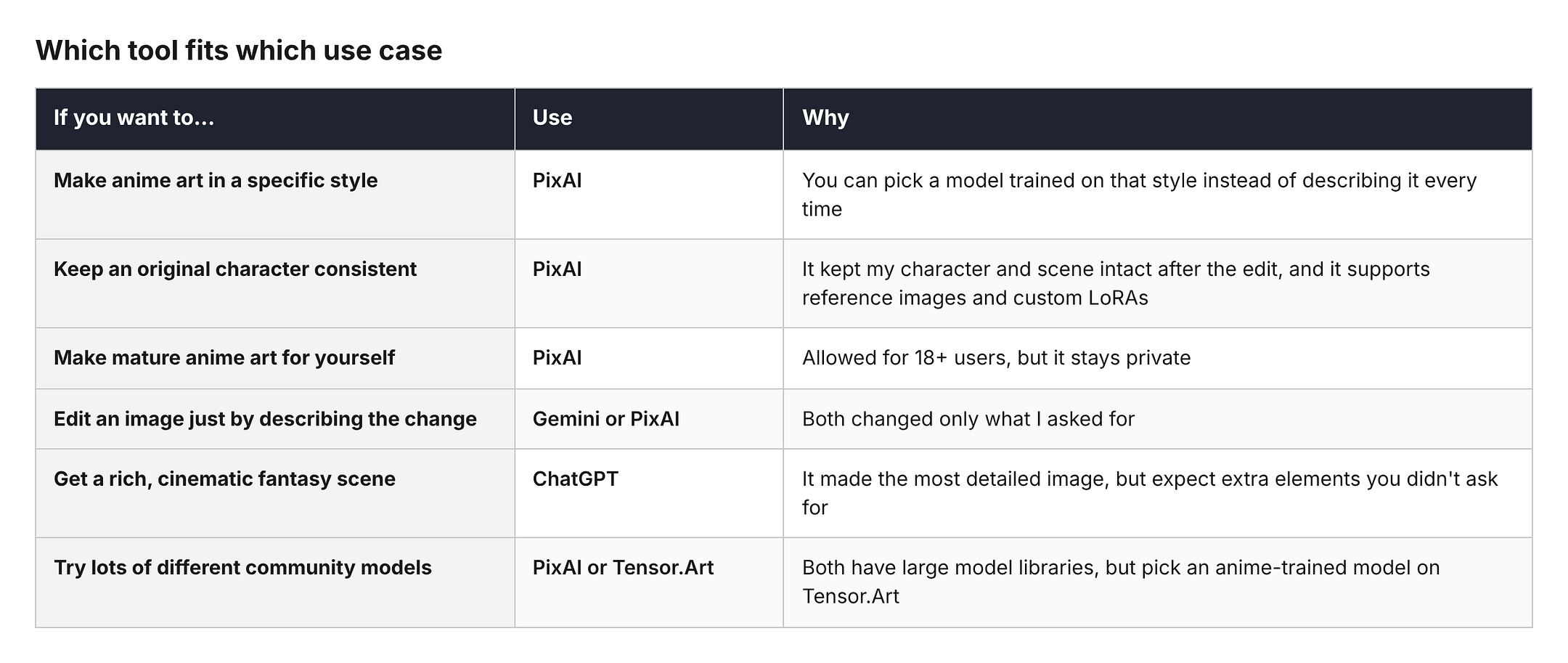
If you mainly make anime art, PixAI is the easiest recommendation. It gave me the best mix of prompt accuracy, composition, and character consistency, and it’s the only one of the four that allows mature content for adults on its main site.
If you just want to edit images by describing what to change, Gemini did as well as PixAI in my test. If you prefer rich, cinematic scenes and don’t mind some surprises, ChatGPT is worth trying. And if you like experimenting with community models, Tensor.Art can work, but you’ll need to find an anime-trained model first.
If your choice depends on a specific mature content question, don’t rely on my test or anyone’s prompt screenshots. Check the tool’s current policy page, because these rules change often.
Final Thoughts
That’s about it. After testing all four, PixAI is the one I’d pick for anime art. It followed my prompt closely, nailed the composition, and kept the same character and scene after the edit while only changing what I asked for.
The detail dropped a little in the edited image, but it’s a minor issue. On top of that, it gives you the most control over style and is the most open of the four for adult users, as long as you’re fine with mature content staying private.
When choosing a tool, think about what you actually mean by “no restrictions.” Is it the content rules, the creative control, the free credits, or being able to share your images publicly?
Also keep in mind that the model matters as much as the platform. Gemini’s Nano Banana held up really well against Tsubaki.3, while Z-Image-Turbo on Tensor.Art was a bad fit for this kind of image.
Thanks for reading this far. I know “uncensored AI” is a topic full of misleading claims, so I hope this helped clear up what these tools really allow.
Have you tried any of these tools? Let me know in the comments which one you use and what you think about their rules.
Hi there! Thanks for making it to the end of this post! If you enjoyed this content and would like to support my work, consider becoming a paid subscriber. Your support means a lot!