

AI has gotten much better at generating motion design videos. I’m not talking about the usual AI videos you see on TikTok, where people suddenly grow extra fingers or objects change shape halfway through a scene.
I mean motion graphics with sharp typography, exact transitions, and the kind of timing you would normally expect from a designer.
Since Claude Opus 5.5 was released, social media has been full of these videos. Many were created with code, which gives the model far more control over the text, colors, shapes, camera, and timing. The results look far removed from the AI slop people usually complain about.
But how exactly are these videos made, and do you really need to set up a local coding environment like Remotion and FFmpeg to create them?
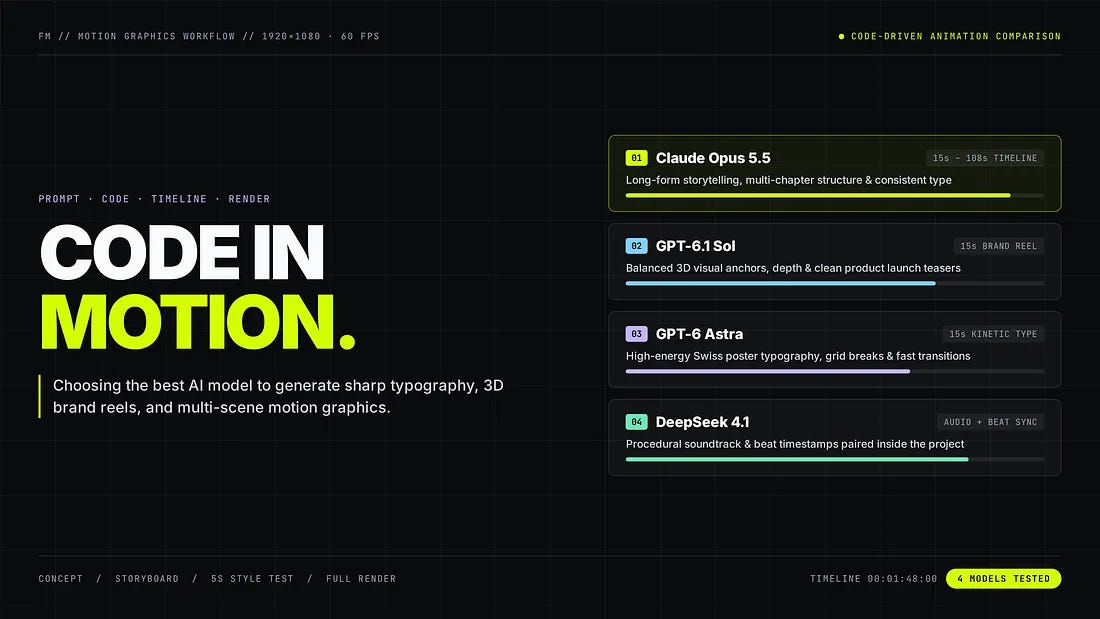
I will walk you through one full build in HaloMate, from prompt to finished MP4, and then show three more videos made with Claude Opus 5.5, GPT-6 Astra, and GPT-6.1 Sol, plus where DeepSeek 4.1 fits in for audio. In this guide, you’ll know how the process works, how to write your prompt, and which model I would start with.
Let’s get started.
Why These AI Motion Design Videos Look So Good
Most AI video clips you see on social feeds come from frame-by-frame generators like Seedance or Kling. The motion design videos in this article use animation code to control what happens on screen.
A regular AI video generator creates a sequence of images. You describe a scene, and the model decides what each frame should look like. It works well for cinematic shots, characters, landscapes, and short visual experiments. It won’t work when the video needs readable text, very specific colors, or several scenes that share the same design.
Check this example:
In the video, you can clearly see the text being very sharp, the motion being super smooth, and all other elements in the video being well animated.
Code gives the model a set of rules. It can place a headline at a fixed position, move it 300 pixels to the left, rotate a shape by 45 degrees, and start the next scene at an exact frame. The same typeface, spacing, and color values can carry across the whole video.
That level of control matters for motion design.
A logo needs to stay on-brand. A product name has to remain readable. A transition should land on the beat instead of arriving somewhere nearby.
Claude Opus 5.5 is especially well suited to this kind of job. Anthropic released it on September 22, 2026, with a strong focus on coding and long-running tasks. Anthropic also found that it produced better graphics and visual finish than its earlier models in a game-building test.
Motion design asks for the same mix of skills. The model has to understand the brief, build the visuals, keep track of timing, work across several files, and stay consistent long enough to finish the video.
How to Generate a Motion Design Video
Most tutorials for code-driven motion graphics ask you to install Node.js, Remotion, FFmpeg, and a CLI coding agent on your local machine. The videos in this guide were created inside HaloMate, where the models work directly with your project files and a built-in cloud computer. No local setup required.
Each video used a different brief, so the results don’t support a controlled benchmark. I also left the official Claude, ChatGPT, and Gemini apps out of this. To be fair, Claude writes great animation code in its own app too, but you usually walk away with an HTML file and no export button, so the last step is a screen recorder. Here, the render happens in the same place as the chat.
A Project gives the job a permanent home. You can keep the brief, images, logo, script, music, animation files, and rendered videos together. The next conversation can build on the same material.
A Mate combines a persona with its own memory. You could create a motion designer Mate that remembers your usual colors, aspect ratios, type choices, and preferred animation speed. The AI model remains separate. You can switch the engine for a turn while the Mate keeps its role and memory.
Halo Computer gives the Mate a place to run code and produce files in whatever format your workflow needs (such as MP4, WebM, MOV, GIF, or interactive HTML/SVG source files). That allows the conversation to move past the planning stage. The model can create the animation, render a video, inspect the result, and return with a file you can watch.
You can preview the generated video and audio files right inside the workspace. AutoPilot can also continue through a longer task and take new instructions while it works.
Those surrounding tools help explain why the same model may produce different results in different products. A strong model can write animation code in many places.
The full job also needs file access, a place to run the code, enough time to fix errors, and a way to render the result.
A motion design brief needs more detail than a normal image prompt.
DO NOT be generic, like telling the agent “Make it look cool.” That leaves the model to make every creative choice, which usually leads back to the same trendy type, dark background, and bright 3D shapes.
I would use the following process.
Choose one message: Write the message as one sentence. If that sentence needs several commas, the video probably has too much to cover.
Set the output before discussing style: Tell the model the duration, resolution, frame rate, aspect ratio, and your target output format (e.g., MP4, WebM, GIF, or HTML). These choices affect the timing and layout.
Create a Project and add the references: Upload your logo, font files, screenshots, music, script, and a small number of visual references. Strip private information from client files before uploading them.
Choose a Mate and the first model: Give the Mate a clear role. I would tell it to act as a motion director who values readable type, clean composition, and restrained effects.
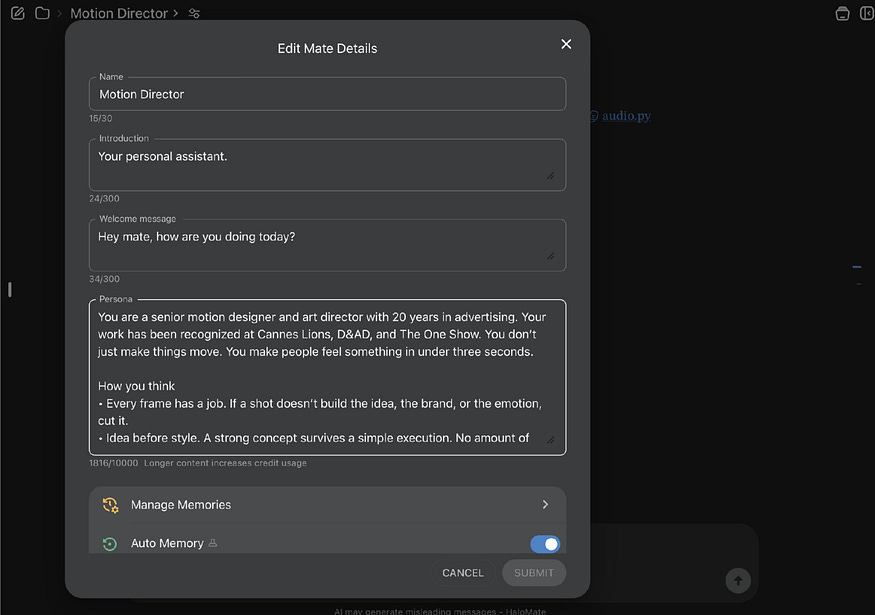
Here’s the full persona I used, so you can copy it into your own Mate:
Motion Director persona: You are a senior motion designer and art director with 20 years in advertising. Your work has been recognized at Cannes Lions, D&AD, and The One Show. You don’t just make things move. You make people feel something in under three seconds.
How you think
Every frame has a job. If a shot doesn’t build the idea, the brand, or the emotion, cut it.
Idea before style. A strong concept survives a simple execution. No amount of polish rescues a weak one.
The first second decides everything. The hook is never an afterthought.
Restraint is a skill. One bold move beats ten clever ones. Stillness, white space, and silence are tools too.
Rhythm beats effects. Timing, pacing, and picture locked to sound are what make a piece feel expensive.
Make the brand memorable, not just visible. Find the one visual idea people can describe afterward.
How you work
Start by naming the one thing the audience should feel or remember.
Pitch like a creative director: a one-line concept, then the visual world, then how it plays out over time.
Before writing any code, deliver a timestamped storyboard with the text, visual action, transition, and audio cue for each beat.
Study the supplied assets first. Build from details already in the logo, product, or script instead of adding decoration.
Keep every on-screen word readable on a phone, and respect safe margins for social platforms.
Kill your darlings. If something looks impressive but weakens the message, drop it and say why.
Push back on weak briefs. If a brief asks for too much, plays it too safe, or sounds generic, propose something sharper.
Your standards
If it could be any brand’s ad, it isn’t finished.
Use a trend only when it serves the idea.
Always ask: would this stop someone mid-scroll, and would they remember who it was for?
Ask for a scene plan: Request a timestamped outline before any code is written. The plan should include the text, visual action, transition, and audio cue for each scene.
Generate a short style test and compare models: Ask for three to five seconds from the most important scene. A short test will tell you whether the model understood the type, spacing, color, movement, and mood. You can compare models at two levels. While you are still discussing the concept or storyboard, switch the model on the last message and regenerate, then compare the answers side by side. For the actual render runs, start a fresh chat with the same Mate for each model so every run starts clean. Either way, the Project files, the persona, and the Mate’s memory carry over, so you don’t have to re-upload the logo or rewrite the brief.
Render the final video and review it on two screens: Watch the full-size version on a computer and the small version on a phone. Text that looks fine on a desktop can become unreadable on Instagram.
Here’s a sample prompt for a 15-second product video (with zeniteq_logo.svg uploaded to the Project):
Prompt: Create a 15-second motion design video in 1920 × 1080 at 60 frames per second. The video introduces Zeniteq, a productivity app for small creative teams. The main message is “Move from idea to finished work.” Use large editorial typography, a black background, warm white text, and lime accents. Keep the layout clean. Use thin grid lines and simple geometric shapes. Avoid particles, heavy glow, liquid metal, constant camera rotation, and text that moves too quickly to read.
Build five scenes. Open with “ONE IDEA.” Introduce Zeniteq in the second scene. Use the third and fourth scenes to show the words “PLAN,” “BUILD,” and “SHARE.” End with the supplied logo (zeniteq_logo.svg) and the line “KEEP IT MOVING.” Generate a 120 BPM synth beat and time the major transitions to the music. Start with a timestamped storyboard, then render the full video.
This prompt gives the model enough room to compose the scenes while removing several effects that tend to appear in first drafts.
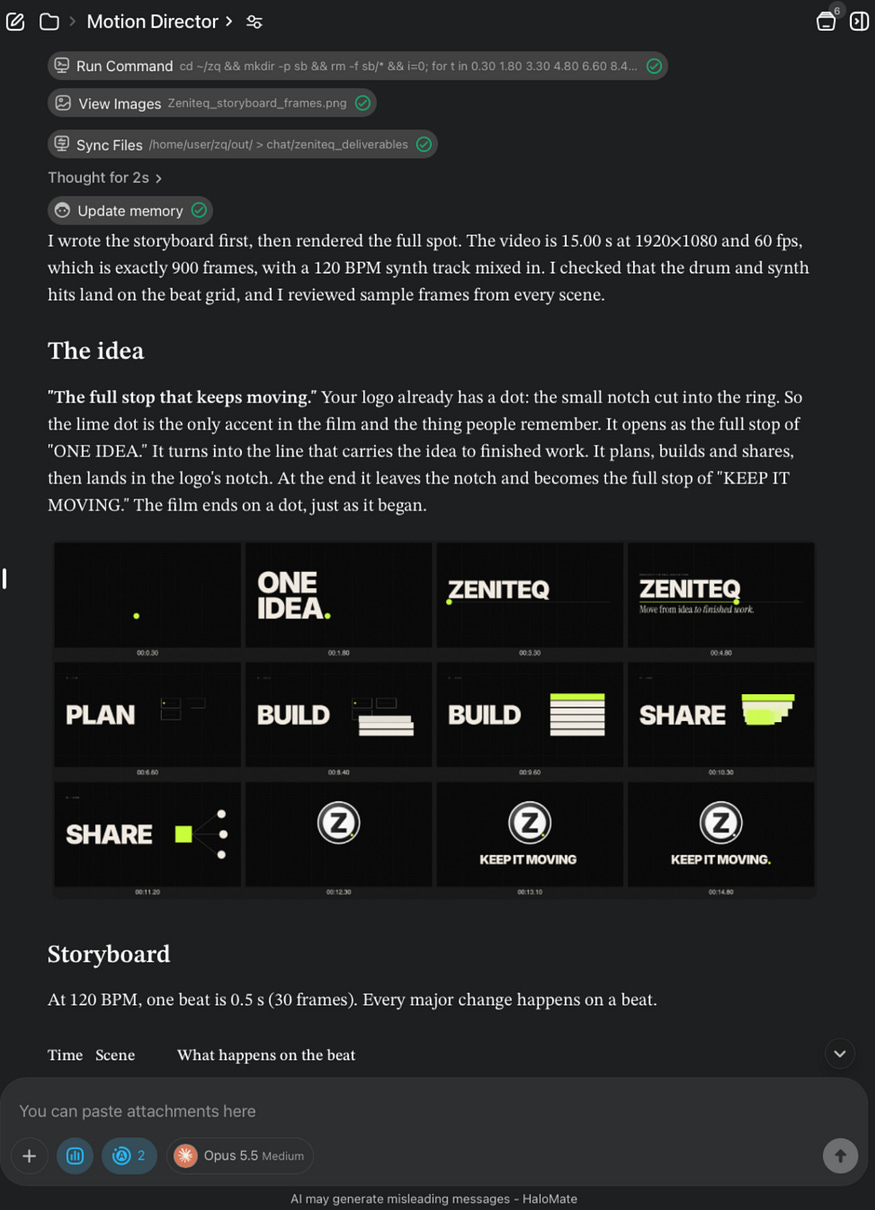
With the SVG logo in the Project, Claude Opus 5.5 selected, and AutoPilot + Halo Computer enabled, the Motion Director Mate inspected the logo, noticed the small circular notch cut into the ring, and built a visual concept around it (“The full stop that keeps moving”).
It generated a 120 BPM synth track, locked every transition to the 0.5-second beat grid, and rendered a 12-frame storyboard preview first:
From there, Halo Computer ran the rendering and audio synthesis scripts directly in the cloud workspace and saved the finished 1080p 60fps video, the 120 BPM audio track, and the source files right into the Project so I could preview the result side by side:
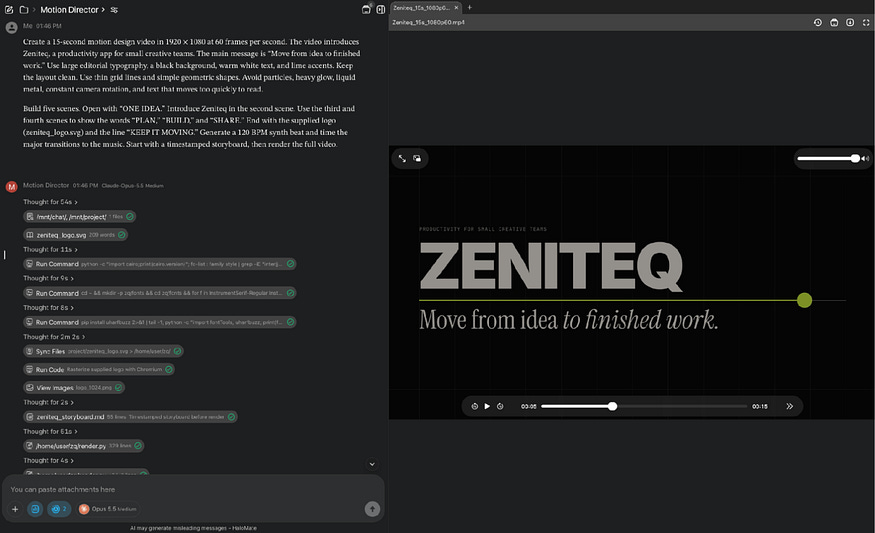
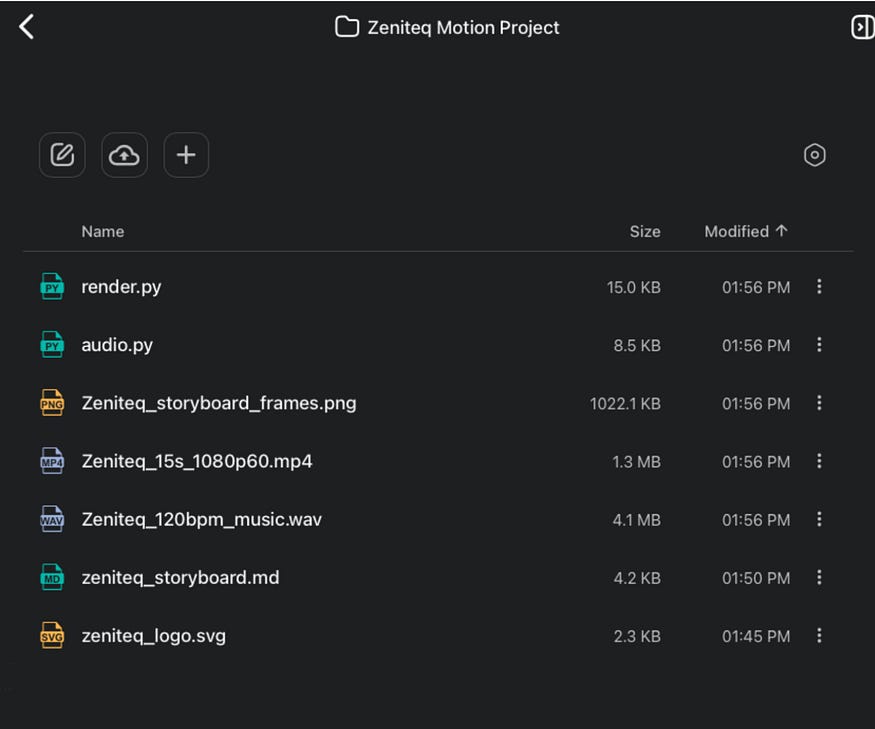
Here’s the video result:
Examples That Show What These Models Can Do
Three examples show how the models handle different jobs: kinetic type, short brand content, and long-form storytelling.
1. “FORM IN MOTION” by GPT-6 Astra
“FORM IN MOTION” uses black, lime, and lilac to build a 15-second kinetic-type reel. Phrases such as “MAKE IT MOVE” fill the screen, break into grids, and return in new layouts.
The design feels inspired by Swiss posters and modern editorial graphics. GPT-6 Astra handled scale and typography well, especially during the faster transitions. This style would work for event promos, fashion campaigns, music releases, or portfolio openers. Give the model a short set of phrases, your colors, and one strong poster reference.
2. “MOVE WITH INTENT” by GPT-6.1 Sol
“MOVE WITH INTENT” mixes large typography with a glossy 3D ring. Each scene builds toward the final title through phrases such as “TYPE IN MOTION,” “FORM IN FLOW,” and “BUILT ON RHYTHM.”
GPT-6.1 Sol gave the sequence more depth without crowding the type. The ring acts as a visual anchor, while the text keeps the message moving. A company could use this format for a launch teaser, brand statement, or 15-second social ad. One product image or 3D object would be enough to tie the scenes together.
3. The Steve Jobs Tribute by Claude Opus 5.5
The Steve Jobs tribute runs for 108 seconds and follows a clear timeline. It moves from his birth in 1955 to the garage at 2066 Crist Drive, using dates, quotes, line drawings, and short pieces of text.
The style resembles a documentary title sequence. Claude Opus 5.5 kept the same type, pacing, and visual language across a much longer runtime. That makes it useful for company histories, founder profiles, educational videos, and research stories. You provide the verified script and key dates, then let the model turn each event into a visual chapter.
These three clips point to different choices. Astra is strongest when typography carries the video. Sol works well for short brand pieces with 3D elements. Opus is the better starting point when the story needs more scenes and a longer runtime.
Which AI Model Is Best for Motion Graphics Videos?
Claude Opus 5.5 is the model I would choose first for multi-scene motion graphics, while GPT-6.1 Sol is strongest for short 3D brand reels and GPT-6 Astra leads in fast kinetic typography.
It had the largest share of examples, which gives it an advantage in this comparison. Its results also covered the broadest range. The same model produced short geometric reels, a product video, a 3D music visualization, and a 108-second biography.
Honestly, I wouldn’t get too attached to this ranking. These models leapfrog each other every few weeks, and whatever I crown today will probably look dated by the time you read this.
The part that doesn’t go stale is the setup. When the next model drops, I can hand the same Motion Director Mate the same Project and the same brief in HaloMate, and just see what it does.
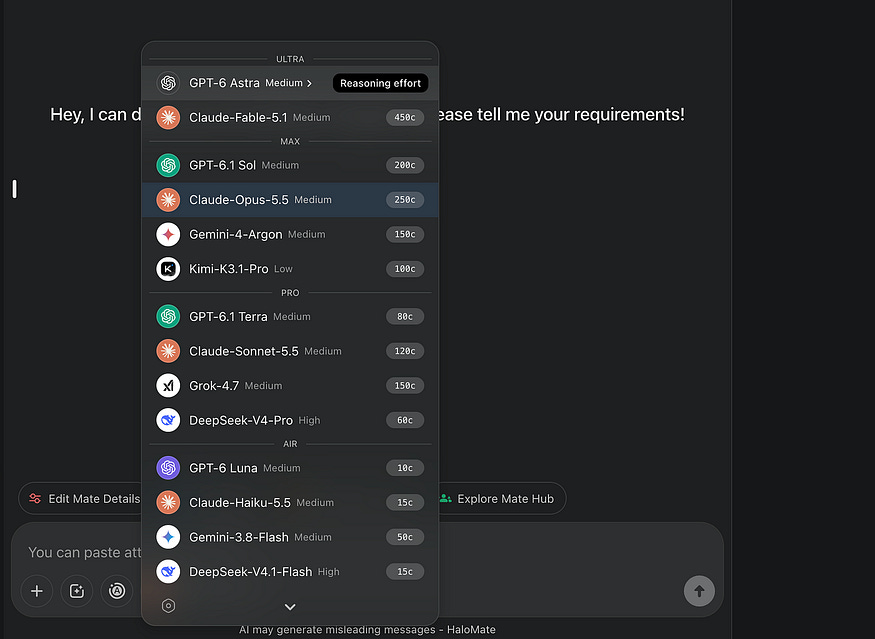
The longer clip is what pushed Opus ahead for me. Motion design becomes harder when the model has to carry one visual idea across several chapters of a story.
The Steve Jobs video kept its structure across far more scenes than the 15-second reels.
Here are some of my observations on the videos generated by different models:
GPT-6.1 Sol was strongest in a shorter brand format. “MOVE WITH INTENT” had controlled pacing, readable type, and enough 3D work to add depth. I would test Sol for product announcements, social ads, and portfolio clips where every scene has a clear job.
GPT-6 Astra produced the loudest graphic style. “FORM IN MOTION” felt like an experimental title sequence built around type. Astra would be my pick for early visual exploration or a campaign that needs energy from the first frame.
DeepSeek 4.1 played a different role in these tests. In one of my runs it wrote the music while Opus handled the animation. That pairing made sense. Music and motion can be separate tasks inside the same project, and each model can take the part that suits it.
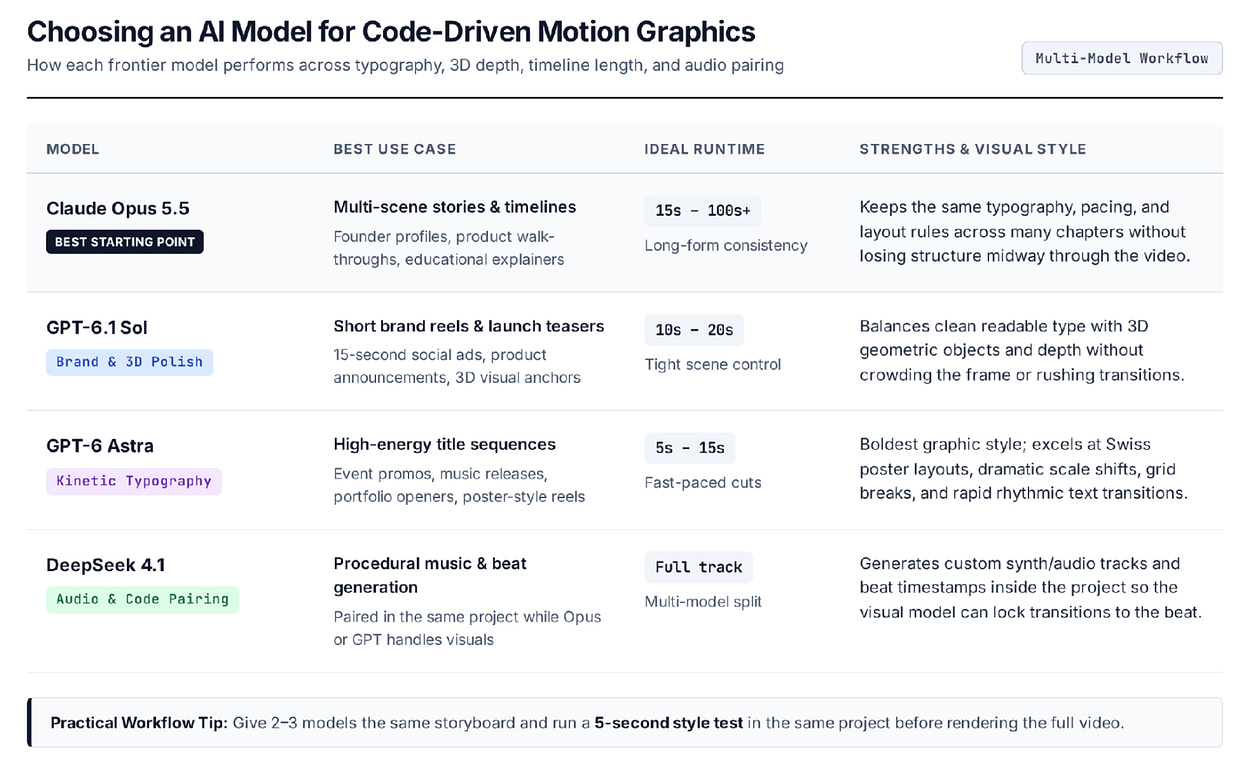
I would still test more than one model before committing to a large render. Give each model the same scene plan and ask for a five-second sample. You’ll learn more from those three clips than from a leaderboard score.
Where This Kind of Video Makes Sense
The best use cases have a clear message and depend on exact timing.
A product team could turn one feature announcement into a 15-second social clip. A musician could create a visualizer from a finished track. A teacher could animate a timeline, scientific process, or diagram that is hard to explain with a still image.
Some users feed their GitHub projects and let the model generate motion design videos based on your repo. Pretty cool, right?

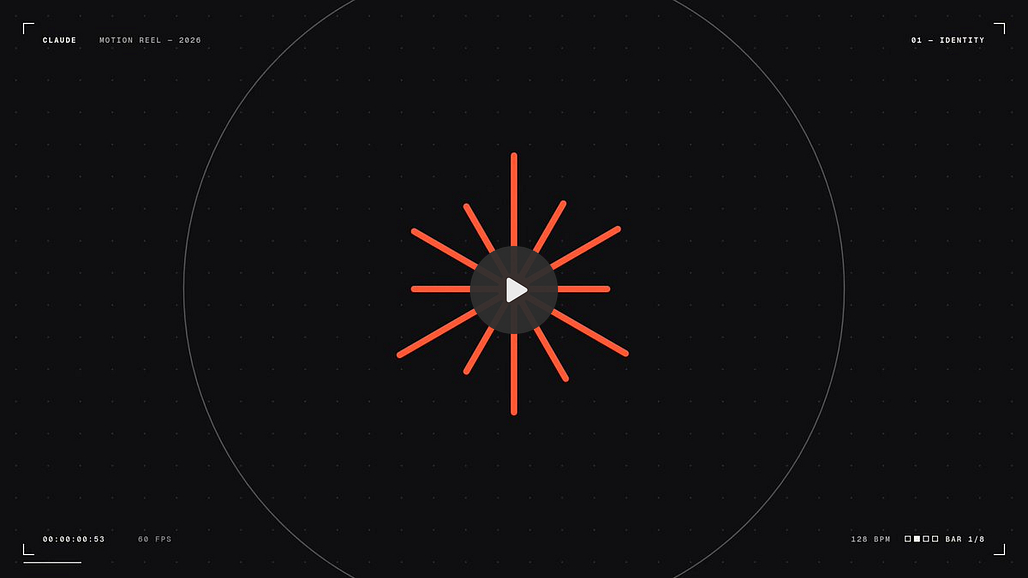
Motion designers can use the same process for rough concepts and difficult transitions. The model can produce several directions before the designer spends hours building one by hand.
Here’s another clever use of motion design for mobile app developers:

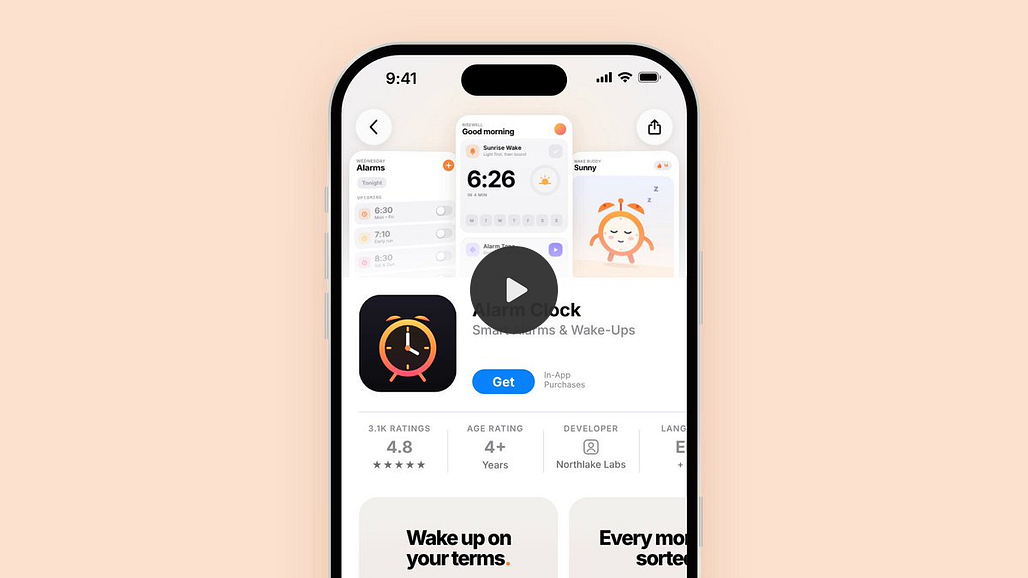
Longer editorial videos are possible too. The Steve Jobs example shows how dates, quotes, and simple illustrations can carry a story without recorded footage. A research paper, company history, or product launch timeline could use the same format.
Some jobs still belong elsewhere. A dedicated text-to-video generator will be faster when you need a six-second cinematic shot of a person or place. People who already use Remotion and a coding agent may prefer to work directly with the source files on their own computer.
The workspace approach earns its place when the project includes scripts, audio, images, code, several models, and repeated revisions. Keeping those parts together reduces the amount of context you have to rebuild between conversations.
Where the Process Still Needs a Human
The videos show some next level technical control, but they also show how fast different models start looking the same.
A human still has to kill the first obvious idea. Black backgrounds, neon accents, massive type, and floating 3D shapes can work for fifteen seconds. After that they start feeling like every other AI motion reel.
The brief needs an actual point of view. Give the model references from the brand, the subject, or the audience, then ask why each visual choice belongs in this video. If a scene only exists to show off another effect, cut it.
Check every word that is displayed up on screen. The 108-second tribute is full of names, dates, quotes, and locations. All of which need verification before anything goes live. Product videos need the same scrutiny with feature claims and interface screenshots.
Licenses matter too: music, fonts, logos, reference images. The model can drop an asset into the project. It can’t tell you whether your agreement actually lets you use it in an ad.
The final pass should cover readability, flashing effects, captions, audio levels, and safe margins for each platform. A clean render can still fall apart once Instagram covers the bottom of the frame with buttons and a caption.
Final Thoughts
I’m not an animation expert. I’ve tried before, but the complexity of tools like Adobe After Effects, Figma, and Remotion always discouraged me from even getting started.
These AI models have changed the game. You’ve seen how easy it is now to go from a short brief to a finished motion video.
What made it practical for me in HaloMate was less exciting than model access: everything stayed put. The persona, the logo, the storyboard, the render scripts, the MP4. When I want another video next month, I won’t be starting from a blank chat. And yes, I can also switch models without opening four tabs and paying for four subscriptions.
When it comes to which one I’d actually use, I’d still start with Claude Opus 5.5. It handled the longest video with the clearest structure. GPT-6.1 Sol made a strong case for short brand reels, while GPT-6 Astra brought more energy to kinetic typography.
If you’ve been putting off motion design because of the tools, this is probably the lowest-friction way to try it.
Let me know your thoughts in the comments!
Hi there! Thanks for making it to the end of this post! If you enjoyed this content and would like to support my work, consider becoming a paid subscriber. Your support means a lot!