

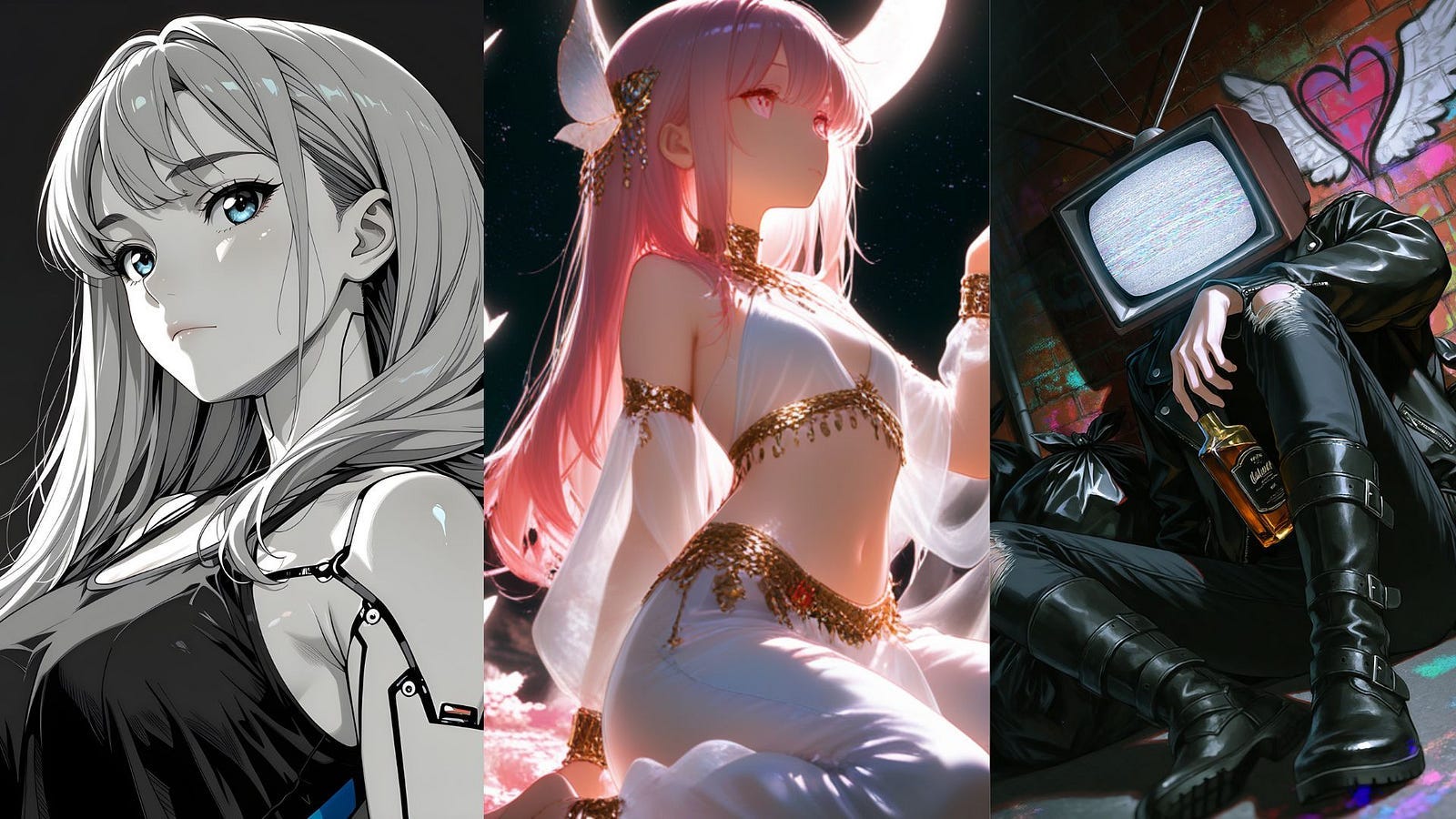
NovelAI has been one of the most popular anime image generators since 2022. It runs in the browser, and its models have defined what a lot of people expect AI anime art to look like.
When people ask me for a NovelAI alternative, I point them to PixAI and its newest model, Tsubaki.3. It also runs in the browser, but it comes with free daily credits, more than 1.8 million community models and LoRAs, and image editing you do by typing a request.
In this post, I compared PixAI and NovelAI to show you how they are alike and what you can do on both platforms. I will also demonstrate the differences through examples.
Let’s get into the details.
Why Are People Looking for a NovelAI Alternative?
Most people searching for a NovelAI alternative are reacting to how NovelAI now charges for its newest model.
NovelAI Diffusion V5 launched in August 2026. It’s 2.5 times the size of V4.5 and was trained on 268,000 B200 GPU-hours. Bigger models cost more to run, and NovelAI’s answer was to add usage limits to Opus, the plan people paid for because it offered unlimited image generation.
Every V5 image on Opus now draws from an allowance that takes about a week to fully recharge. Older models stay unlimited, but most people subscribe for the newest one.
NovelAI also changed how leftover credits work. Unused subscription Anlas (its credit currency) now reset to zero when your subscription ends. Subscribers in the announcement’s comments said the V5 allowance runs out faster than expected, and some asked for a pricier plan that stays fully unlimited.
There are a few other reasons why I think many people ditch NovelAI:
No free plan: NovelAI offers a trial, and subscriptions start at $10/month.
Missing V5 features: Vibe Transfer and Precise Reference weren’t available for V5 at launch.
No community models: You can only use NovelAI’s own models, so you can’t load a LoRA for a specific style or character.
If you’re paying every month and watching a usage bar, it makes sense to compare.
Now, let me discuss why PixAI and the Tsubaki.3 image model are worth switching to.
Tsubaki.3: PixAI’s Anime Model
PixAI is an anime-only AI art platform that runs in the browser and on iOS and Android. Tsubaki.3 is its newest in-house model.
According to PixAI’s technical report, the team started with about 500 million anime image-text pairs and filtered them down to 50 million. Each image was captioned twice, once with booru-style tags and once in plain English. That’s why Tsubaki.3 handles prompts written as full sentences, the way you’d brief an illustrator.
The model was trained for both text-to-image and image editing. In practice, you can:
Reuse a character: Upload a reference, call it
@image1in your prompt, and place that character in a new scene.Edit by typing: Write “change her hoodie to red,” and only the hoodie changes.
Generate at 2K: Images come out at native 2K resolution.
The report is also candid about weaknesses. Recognition of named art styles plateaued at about 60% in training, and style consistency drops as editing gets more capable. Expect mixed results when you prompt “in the style of” a specific artist or studio.
To access Tsubaki.3 in PixAI, open the image generation dashboard and on the Model tab of the parameters section, set it to Tsubaki.3.
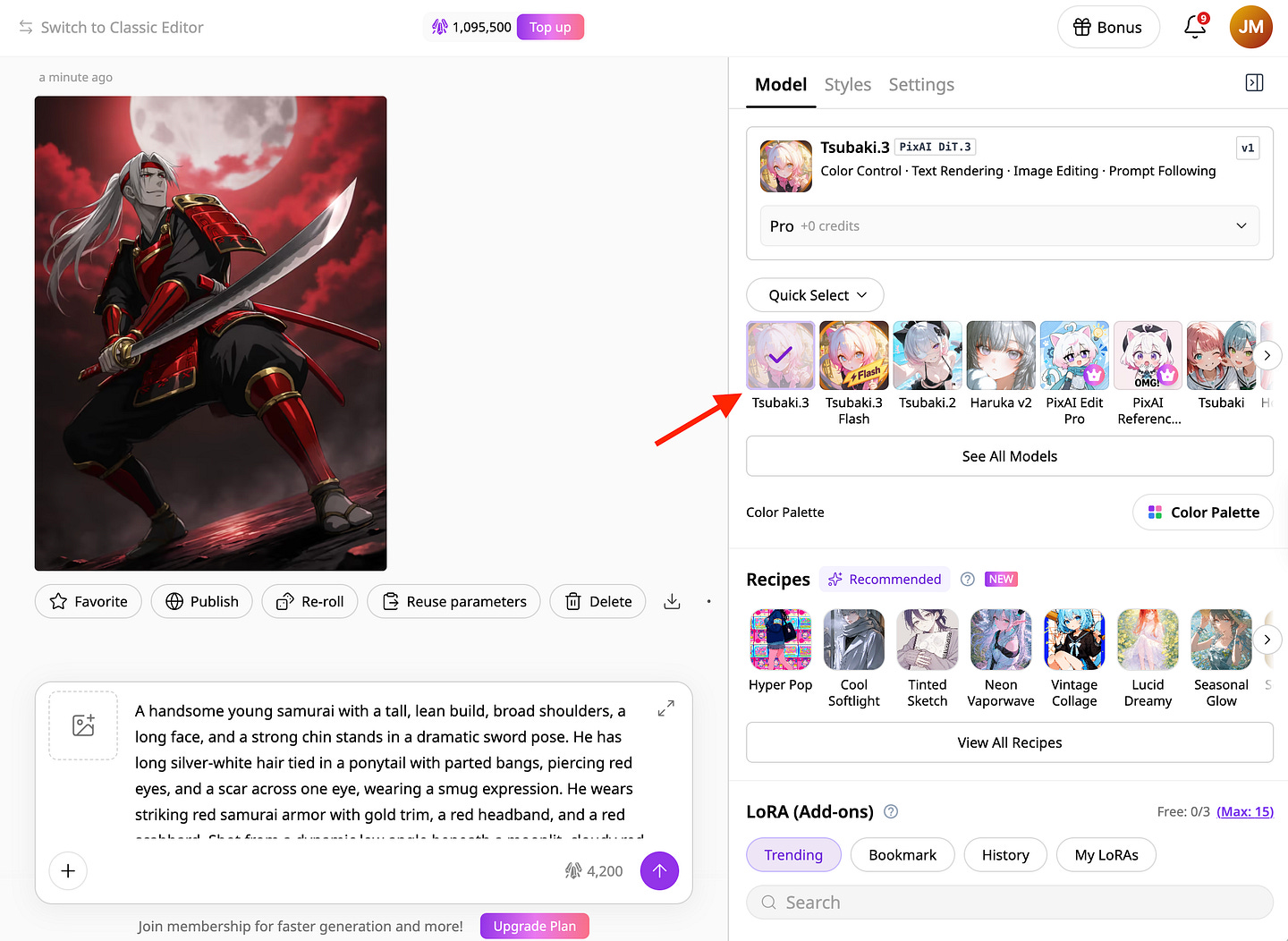
You can find the different use cases of the model on this page, and also learn more about its technical details in the article below.
https://generativeai.pub/civitai-alternative-for-anime-art-why-creators-are-trying-pixais-tsubaki-3-127d4bc15f54
NovelAI vs PixAI at a Glance
The main differences come down to pricing, editing, and what you get beyond the base model.
The table below lines up the features that affect day-to-day use.
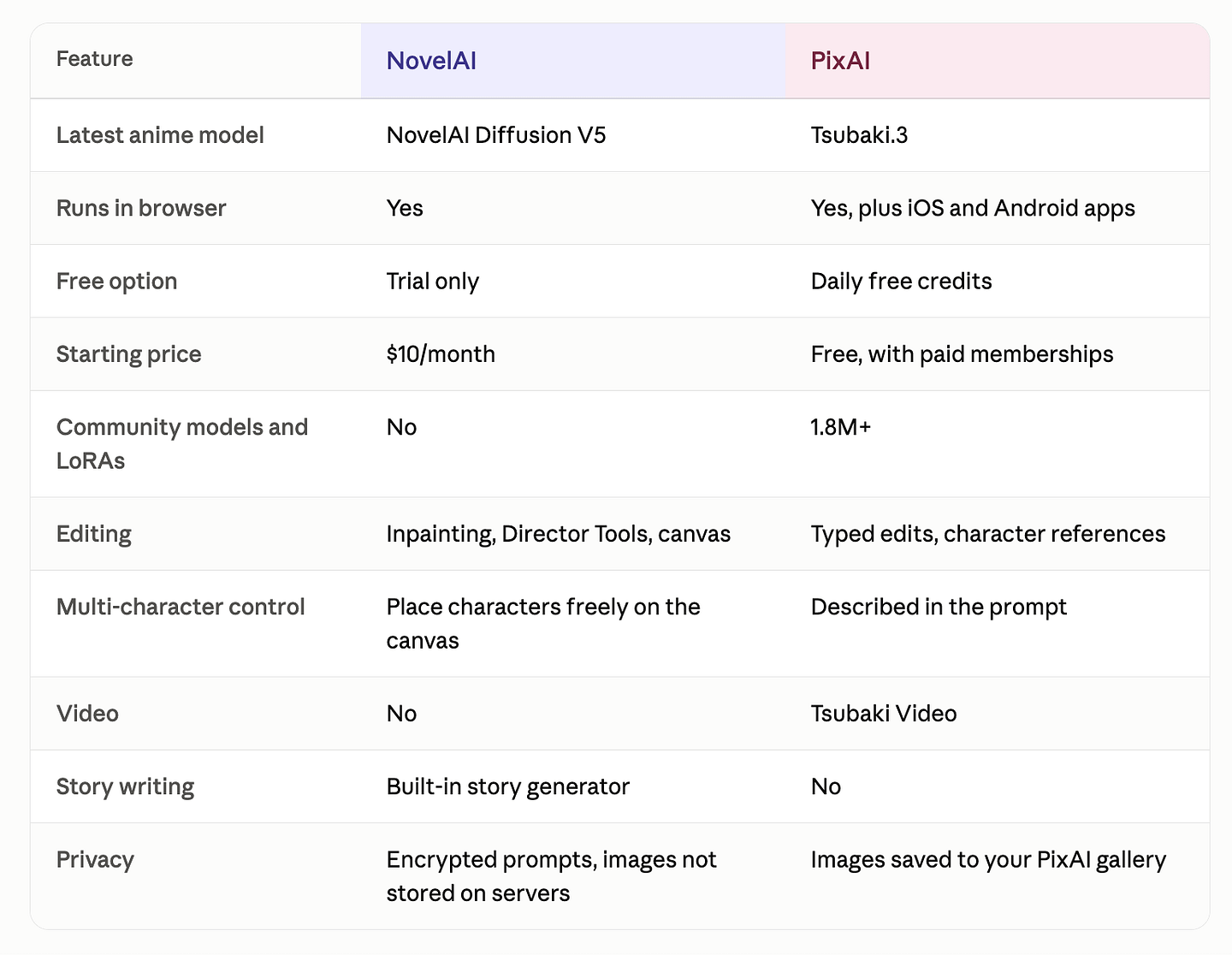
If you’re a beginner who wants to dip your toes into AI anime image generation and don’t want to spend a dime, PixAI is the way to go. You get free credits every day, while NovelAI only gives you a trial before asking for at least $10/month.
PixAI also lets you use community-made models and LoRAs, so you can try a lot more art styles than NovelAI’s own models offer.
NovelAI is better if privacy is a big deal for you. It encrypts your prompts and doesn’t save your images on its servers. It also comes with a story writing tool, which is handy if you write visual novels or fiction and want your art and stories in one place.
Now let’s see how both models handle the same prompts.
Side-by-Side: NovelAI V5 vs Tsubaki.3
I used NovelAI Diffusion V5 Full and Tsubaki.3, both on default settings. Each prompt ran four times on each platform, and I judged the full batch.
Test 1: Original Character Creation
One of the most common reasons people use AI image generators is to create original characters. If you’re working on a film, game, manga, or even just building your own fictional world, image models make it easy to experiment with character designs before committing to a final look.
So for the first test, I wanted both models to create the same original samurai character.
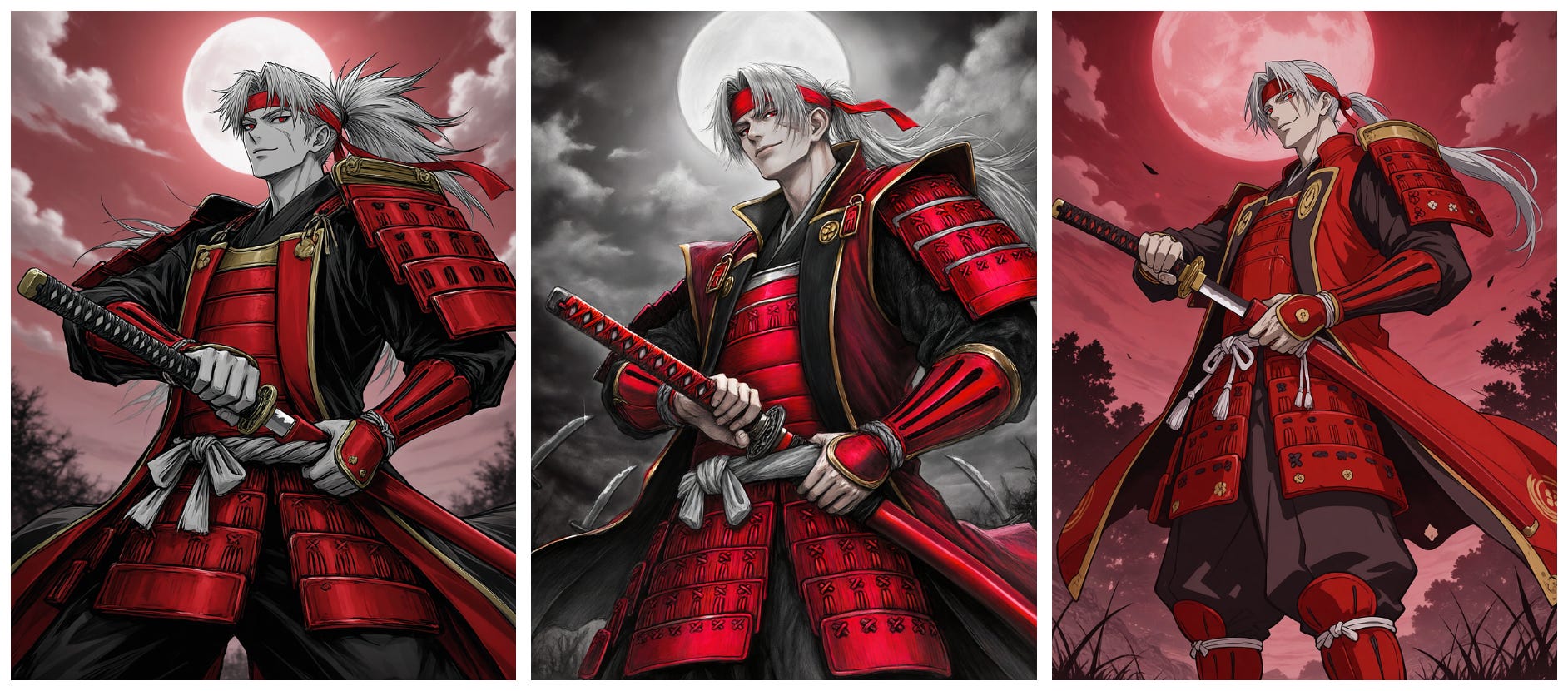
Prompt: A handsome young samurai with a tall, lean build, broad shoulders, a long face, and a strong chin stands in a dramatic sword pose. He has long silver-white hair tied in a ponytail with parted bangs, piercing red eyes, and a scar across one eye, wearing a smug expression. He wears striking red samurai armor with gold trim, a red headband, and a red scabbard. Shot from a dynamic low angle beneath a moonlit, cloudy red sky, the scene has a dramatic monochrome aesthetic with vivid red accents, cinematic composition, and exceptional detail.
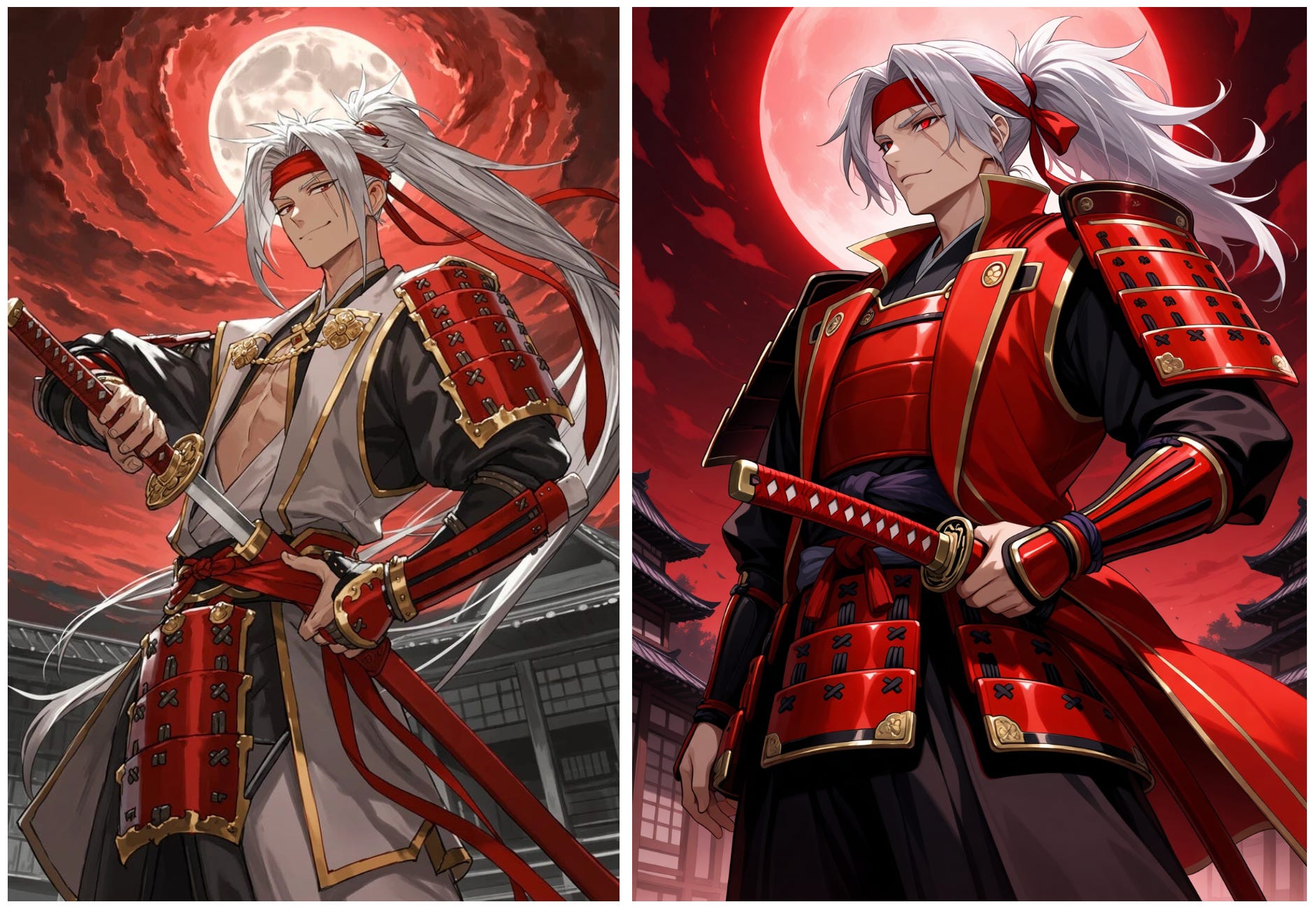
Both models did a great job here. The characters are detailed, the compositions look dramatic, and both captured the red-and-black aesthetic I was going for.
At this point, I think it mostly comes down to taste and personal preference. I like both results for different reasons, and I wouldn’t call either one an obvious winner based on image quality alone.
But this is where PixAI starts to become more fun.
Tsubaki.3 can be used as the base model, but you’re not limited to what the model produces on its own. PixAI lets you stack multiple add-on LoRAs on top of it to influence the character design, art style, clothing, details, and overall look of the image.
You can also adjust the strength of each LoRA, which gives you much more control over how heavily it affects the final result.
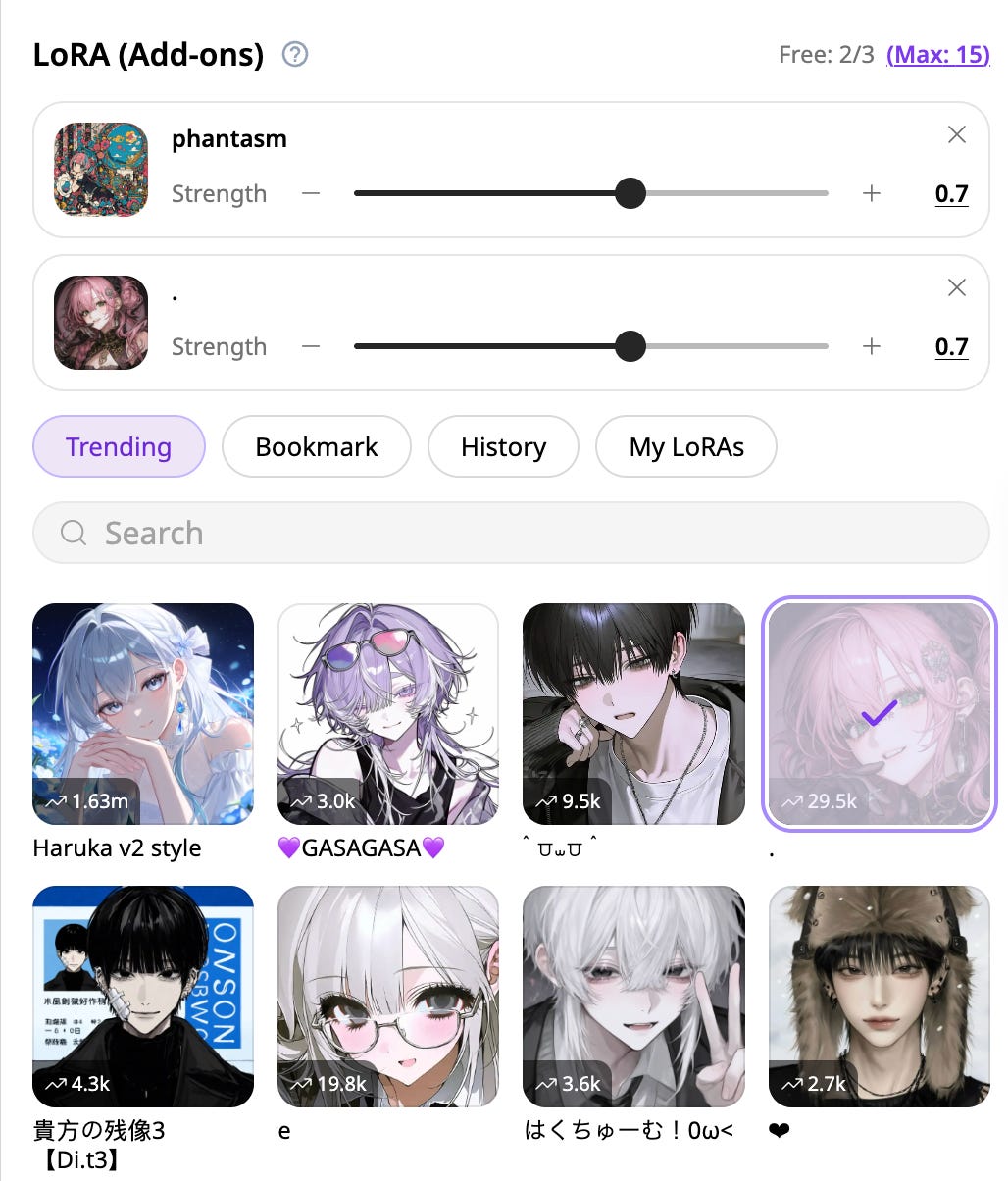
Check out the example images above with different add-ons applied. The same basic character and prompt can quickly take on a very different look depending on the LoRAs you use.
This is only one of the reasons why I think PixAI is the ultimate AI image generator for anime. There’s even a video generator that lets you quickly turn any image into a video, which is not available on NovelAI.
Test 2: Multiple Characters in One Scene
Multi-character generation is still one of the areas where many image models struggle. It’s not just about generating two good-looking characters. The model also has to make them feel like they belong in the same scene, interact naturally, share the available space, and still keep the overall composition balanced.
Here’s an example showing two characters in a single image.
Prompt: A boy and a girl stand side by side on an indoor stage, framed in a cowboy shot. Musical notes, including eighth notes and quarter notes, float around them along a flowing musical staff, creating a lively musical atmosphere.
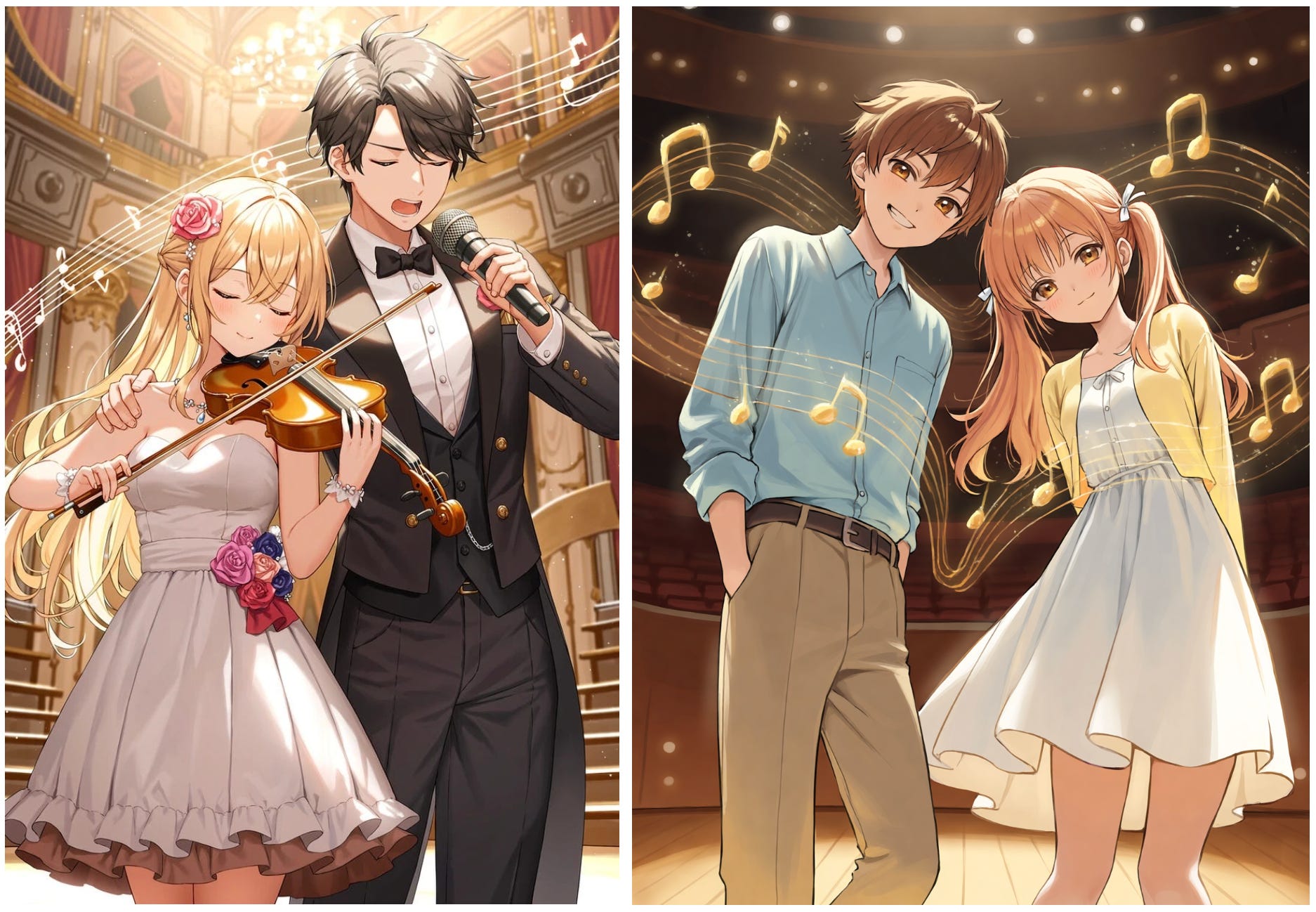
What I found interesting here is how differently both models interpreted the same prompt.
NovelAI took more creative freedom with the scene. I never asked for a violin, microphone, or any specific instrument, but the model decided to add them anyway. In this case, I think it works because those extra details make the stage feel more like an actual musical performance.
PixAI kept things much closer to the prompt. It focused on the two characters and the floating musical notes without adding many extra elements.
So the difference here isn’t really about which one looks better. NovelAI seems more willing to fill in the blanks and add its own ideas, while PixAI gives you a cleaner and more literal interpretation of what you asked for.
Where NovelAI Still Wins
NovelAI encrypts your prompts and doesn’t keep your images on its servers unless you save them. From a privacy standpoint, that’s better than PixAI, since your generations live in your PixAI gallery.
But if you have nothing to hide in your prompts and you are not doing anything illegal, I don’t think encrypting text prompts is such a big deal.
NovelAI also bundles a story generator into every plan, which matters if you write visual novels or interactive fiction alongside your art. And V5 can generate images with true transparent backgrounds, which saves a background-removal step for stickers, sprites, and game assets.
If the V5 usage limits haven’t affected you, these are solid reasons to stay.
Who Should Switch to PixAI?
PixAI and Tsubaki.3 fit these creators best:
Budget-conscious creators: Daily free credits let you make anime art without a subscription.
OC and VTuber designers: Character references let you reuse one design across many scenes.
Heavy iterators: Typing “change the outfit” is faster than masking and re-prompting every edit.
Style hunters: Community LoRAs give you art styles, outfits, and characters NovelAI’s models don’t cover.
If privacy, story writing, or exact character placement matters most to you, NovelAI remains the better tool.
Final Thoughts
After testing both side by side, I personally prefer PixAI for the kind of anime work I usually do. Tsubaki.3 was better at keeping character details consistent. It handled the three-character scene well from text alone, and I liked how much freedom I had with LoRAs, editing, and the other models available on the platform.
NovelAI V5 is still very good, though. In some of the tests, I actually liked how it interpreted the prompt more creatively. It also makes more sense for people who care a lot about privacy, want the built-in story-writing tools, or simply prefer the NovelAI workflow.
For me, PixAI just feels more flexible. I can generate with Tsubaki.3, switch models, add LoRAs, edit an image, and even turn it into a video without leaving the platform. The free daily credits also make it easier to experiment without thinking too much about every generation.
The recent changes to NovelAI’s V5 limits are something worth paying attention to if you generate a lot of images. Your experience will probably depend quite a bit on how heavily you use it.
I’m also pretty happy that we now have two strong anime-focused models competing this closely. NovelAI built V5 on its own architecture, while PixAI has been fairly open about how Tsubaki.3 was developed and where it still struggles. Either way, more competition here is good for us.
For now, I’m sticking with Tsubaki.3.
What about you? Are you still using NovelAI, or have you tried Tsubaki.3 already? Let me know in the comments.
Hi there! Thanks for making it to the end of this post! If you enjoyed this content and would like to support my work, consider becoming a paid subscriber. Your support means a lot!